Black t-shirt mockup generator
One upload puts your design on black tees: worn, hung and laid flat. You see at once if the design survives dark fabric. The free ones need no sign-up and carry no watermark.
Your design
Mockup editor
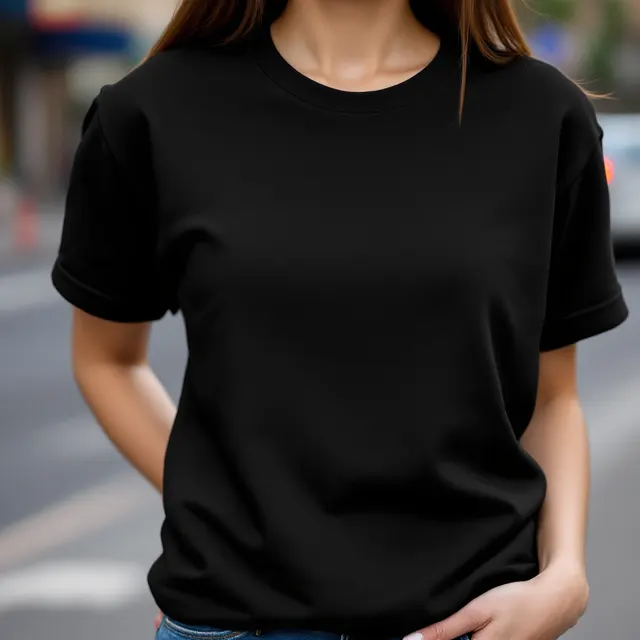
4 free black t-shirt mockups
Upload a design and it appears on every one.
169 more black t-shirt mockups in the full library
Each one is checked and measured by hand, so your design lands where a print would. They open with a Trendlytic plan, 1 credit a download, and the 3-day trial includes 15 credits. The same plan opens every other colour too: 552 members' mockups in all.
3-day free trial · from $9/mo · cancel anytime
173 black tees, 4 of them free
On women, men, teens, girls, boys and toddlers, and the shirt alone: flat, on a hanger, held up. 29 show the back. The 4 marked Free download straight away, and the rest open with a plan.
Light artwork is not greyed down
On a dark shirt the design keeps its own colours; only the shading of the cloth is laid over it. White lettering stays white on the photo.
Dark details go dull or missing
Navy, charcoal and fine black linework go dull on black fabric, and the thinnest lines can vanish. If they already look weak on the mockup, the print will be weaker.
How to make a black t-shirt mockup
- Upload your print file. For dark fabric that means a PNG with nothing behind the artwork.
- Every black shirt on the page now wears it, at the size of a normal chest print.
- Click one marked Free, nudge the design higher or make it smaller if the photo asks for it, and save the picture. A lock on a card means that photo is for members.
What black fabric does to a design
Black is the least forgiving shirt colour. Whatever in the artwork is nearly as dark as the cloth goes dull, and thin lines can vanish: navy, charcoal, deep purple, forest green, dark brown. Fine black outlines go first, then shadows, then small lettering set in a dark tone.
Contrast is what carries. White, cream, yellow, bright red and sky blue read from across a room on a black tee. Expect them a touch less vivid in print than on your screen: on a dark garment the colours usually sit on a base of white ink, and the print provider Gooten goes as far as recommending extra saturation in files meant for dark shirts. Neon is the exception: Gooten says printer inks cannot reach it and Gelato advises against it, so it prints duller than it looks here.
When one element fails, give it a light outline or move its colour up to a mid-tone. When the whole design fails, it is a light-shirt design: give dark shirts a version of their own, with the dark parts redrawn in light colours. Printify lets a single product carry both files, the light version for dark shirts and the dark one for light shirts. The white t-shirt mockups show the other half of that decision.
The white box and the pale edge
Three faults in a file hide on a white shirt and show on a black one.
A background that is not empty. A JPG, or a PNG saved without transparency, carries a white rectangle behind the artwork, and on a black tee that rectangle is the first thing anyone sees. A black rectangle is no cure. Printful and Gelato both warn that black ink printed over the white base comes out grey against the black cotton around it, and Gelato adds that it can look glossier, so the box can still show. Leave the background empty and let the shirt be the black.
A fringe left by a background remover. Cut a design out of a white background and a thin line of pale pixels often stays around its edge. On white nobody notices it. On black it is a halo. Push the size slider up and look at the edges in the preview before you trust the file.
Soft glows and faded edges. They are built from half-transparent pixels, and the white ink under the colours shows through wherever a pixel is only partly there. Printify calls the result uneven or patchy; Redbubble describes a colour that fades into white instead of into the shirt. Of the three, this is the one a mockup cannot show you: it draws the glow as smoothly as the file has it, and the press will not. Hard edges, or a halftone of solid dots where the fade was, print clean.
Mockup generator, PSD file or stock photo
A search for a black t-shirt mockup returns three different things, and which one you want depends on what you already have.
| Route | You get | Keep in mind | |
|---|---|---|---|
| This pageNeeds a design file and a browser | A design file and a browser | Your design on a black tee, shaded to the fabric, as a JPG or PNG up to 2000 pixels | No layered file to edit, and the shirts are unbranded: none is a specific brand of blank shirt |
| A PSD mockupNeeds Photoshop | Photoshop | Every layer, to change as you like | One shot per file, and the design is placed again for each one |
| A stock photo of a blank black teeNeeds an image editor | An image editor | The empty shirt | Placing and shading the design is your job, and many licences ask for a credit or a fee |
What is in the black set
| Who | Black photos | Free among them |
|---|---|---|
| Women | 23 | 1 |
| Men | 23 | 1 |
| Teens | 28 | 0 |
| Girls | 25 | 0 |
| Boys | 23 | 1 |
| Toddlers | 26 | 0 |
| Product only | 25 | 1 |
29 of the 173 show the back of the shirt and 35 an oversized cut. The studio ones set the black shirt against white, sky blue, sage, terracotta and other light or coloured walls, never a black or charcoal one, so the shirt keeps its outline in a small thumbnail. Every other colour of shirt is on the t-shirt mockup generator page.
Where a black t-shirt mockup earns its place
Many buyers choose the colour from the photos before they open the dropdown. If you expect black to outsell the rest, the black photo goes first in the listing and a lighter colour second, so the choice is visible straight away.
In a feed, a black tee against a pale wall is the photo that stops a scroll: the shirt is the darkest thing in the frame and the print the brightest. How wide to make that print is the same question on black as on any shirt, and the print size calculator answers it in inches and in pixels.
A black shirt still needs a buyer
A mockup answers one question: how this design reads on a black tee. It cannot tell you whether anyone is searching for it. Trendlytic is for that part. It reads four marketplaces (Etsy, Amazon Merch, Redbubble and TeePublic), lists the designs that are selling in a niche today, and flags the ones still climbing. The smallest plan is $9 a month and begins with a 3-day trial; it opens the 552 members' mockups at 1 credit a download.
A good mockup sells the design. The niche decides if anyone is looking.
Before you make the next design, see what is already selling. One Trendlytic search reads Etsy, Redbubble, TeePublic and Amazon Merch, shows how much demand a niche has against how many sellers are in it, and badges the designs that are rising now.
Start free 3-day trial3-day free trial · from $9/mo · cancel anytime
Frequently asked questions
How do I put my design on a black t-shirt mockup?
Press Upload your design and choose a PNG with a transparent background. The black shirts on the page show it at once, at the size of a normal chest print. Click a shirt marked Free, drag or resize the design on the photo if you want to, and download the picture. Your browser does the drawing, so the file is not sent anywhere.
Which black t-shirt mockups are free?
Four of the 173: black tee on a woman, city street; black tee on a man, grey studio; black kids' tee on a boy, street; black tee flat lay, concrete. Nothing to sign up for, no watermark on the picture, no cap on how many. The other 169 are in the members' library inside Trendlytic, where a download uses 1 credit. Some of those are shown on this page with a lock, already wearing your design, so you can judge them before you decide.
Why is there a white box around my design on the black shirt?
Because the file is not transparent. A JPG cannot be, and a PNG is only if it was exported that way. The white behind the artwork is part of the picture, and on a black shirt it shows as a rectangle. Save the design again as a PNG with nothing behind it. A note appears under the upload whenever the tool sees a solid background.
Why does my design disappear on a black shirt?
Some of it is nearly as dark as the fabric. Navy, charcoal, dark brown, deep purple and thin black outlines go dull on a black tee, and the thinnest lines can vanish. Lighten those colours, or put a light outline around the dark parts. A design drawn for white shirts usually needs a second version for dark ones.
Is there a black t-shirt mockup that shows the back?
Yes. 29 of the black photos show the back of the shirt, for designs printed there: 27 worn (by women, men, teens, girls and boys) and 2 with the shirt on its own. They are part of the members' library; the free black shirts are all seen from the front.
Are there black t-shirt mockups on kids and teenagers?
Yes: 28 on teens, 25 on girls, 23 on boys and 26 on toddlers, next to the adult ones. Each of those four has its own button above the grid. One of the free black shirts is on a teen or a child.
Do I need Photoshop for a black t-shirt mockup?
No. The page does the work a smart object does in a PSD: it puts the design on the shirt and shades it to the folds. What you download is a ready picture, JPG or PNG, at 2000, 1440 or 1000 pixels.
Can I use the black t-shirt mockups in listings and ads?
As far as the photo goes, yes: commercially and without credit. The shirts in these photos never existed: each picture was generated with AI for Trendlytic and checked by a person, so there is no photographer, model or brand whose permission you would need. Your own store, paid ads and social posts are all fine. A marketplace's own rules for listing photos still apply.
More free tools
All 27 tools →Image Resizer
Resize PNG, JPG and WebP images by pixels or percentage, or size a t-shirt design for Amazon Merch, Redbubble and TeePublic. Runs in your browser.
Print Size Calculator
Turn any physical size and DPI into the exact pixel dimensions your t-shirt, poster, mug, or sticker design needs. Presets for common POD products. Free, no login.
Etsy Image Size Checker & Resizer
Drop in an image, click an Etsy size, and download it resized: banner, shop icon, listing photo and more. It also flags transparent PNGs and animated GIFs that break on Etsy.