Hoodie mockup generator
See your design on the chest of a pullover, above the pocket where a front print goes, or on the back below the hood. Black, white and the colours hoodies sell in. The free ones download without an account or a watermark.
Your design
Mockup editor
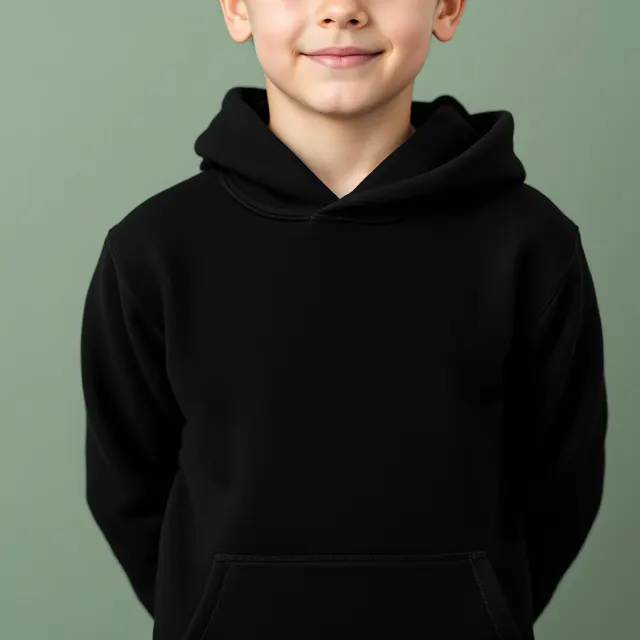
8 free hoodie mockups
Upload a design and it appears on every one.
261 more hoodie mockups in the full library
Each one is checked and measured by hand, so your design lands where a print would. They open with a Trendlytic plan, 1 credit each, paid once, and the 3-day trial includes 15 credits.
3-day free trial · from $19.99/mo · cancel anytime
269 hoodie photos in 15 colours
Worn by women, men, teens, kids and toddlers, from the front and from behind, or on their own: laid flat, folded, on a hanger, on a dress form and floating on a plain backdrop. 8 download free; members open the rest.
Fitted above the pocket
Your design goes between the neckline and the top of the kangaroo pocket, where a front print sits on a pullover. Shrink it to a left-chest logo or push it bigger from there.
Back prints below the hood
On the photos taken from behind, the design starts under the hood, which is where a large back graphic goes on a hoodie.
How to make a hoodie mockup
- Pick your print file, ideally a PNG with nothing behind the artwork.
- Every hoodie in the grid shows it right away: on the chest above the pocket, or on the back below the hood for the photos taken from behind.
- Open a hoodie with the Free label, nudge or resize the design if you want it smaller or higher, and save the picture. A lock means the photo is in the members' library.
The front of a hoodie is a smaller canvas
A t-shirt gives a print the whole front. A pullover hoodie gives it the space between the neckline and the pocket, and nothing below. Amazon Merch's file sizes show the difference: 4500 by 4050 pixels for the front of a hoodie, 4500 by 5400 for a t-shirt. Printful advises keeping artwork off the pocket opening and off the seams, because neither lies flat under the print head.
So a design that fills a shirt can look cramped on a hoodie. A wide, short layout, a slogan on one or two lines, or a badge, uses the space well. A tall illustration usually reads better on the back, where nothing interrupts it below the hood.
One thing the photos cannot show: most of the hoodies in them have drawstrings, and on a real pullover the strings hang in front of the print. The mockup draws your design over them. Expect the strings to cross the top of the artwork on the garment itself, and keep small text out of that strip.
How big should a hoodie print be?
Printful's placement guide puts a full front or back graphic at 10 to 12 inches wide and a left-chest logo at 3 to 4 inches. Printify's guide suggests scaling a logo down by 20 to 30 percent for youth hoodies. The mockups start your design as large as the space above the pocket allows; for a chest logo, shrink it to about a third and drag it to the wearer's left side.
To turn inches into the pixels a printer asks for, use the print size calculator.
Heather grey, and the darker colours
Heather grey is a staple hoodie colour, and it is the one that catches designs out. It sits in the middle of the range, so artwork drawn in mid greys and soft pastels can melt into it, even when it looks fine on black and on white. Navy, forest green and burgundy behave more like black: thin dark lines disappear on them. The Colour buttons let you run one design across all of them before you choose which colours to offer.
Which photo to lead with
A hoodie costs a buyer more than a tee, so the cut and where the print falls matter more to them. A photo on a person shows both; a flat lay or a hoodie floating on a backdrop shows the whole design with nothing in the way. A worn photo first and the packshot second is a sound order. On Etsy and in your own shop the photos you upload are the listing, so the 2000 pixel download is the one to use there.
Pick the niche first
A good mockup shows a design at its best; it cannot create demand for it. Before drawing the next hoodie, check which niches buyers are paying for right now and how many sellers already crowd them.
Trendlytic does that in one search across Etsy, Redbubble, TeePublic and Amazon Merch: the designs that are selling, and a score that weighs demand against competition. Plans start at $19.99 a month, after a 3-day trial.
A good mockup sells the design. The niche decides if anyone is looking.
Before you make the next design, see what is already selling. One Trendlytic search reads Etsy, Redbubble, TeePublic and Amazon Merch, shows how much demand a niche has against how many sellers are in it, and badges the designs that are rising now.
Start free 3-day trial3-day free trial · from $19.99/mo · cancel anytime
Frequently asked questions
How do I put my design on a hoodie mockup?
Choose the PNG you would send to the printer. It appears on every hoodie in the grid at once, on the chest between the neckline and the top of the kangaroo pocket. Drag it to move it, pull a corner to change its size, and download. Your file is not uploaded anywhere: your browser draws the mockup on your own device.
Where does a design go on the front of a hoodie?
Above the pocket. Printful's placement guide gives 10 to 12 inches of width for a full front graphic and 3 to 4 inches for a left-chest logo, and advises against running a print over the pocket opening or across a seam; Printify's guide says to keep the pocket's height in mind. The mockup follows that: your design is fitted into the space above the pocket and hangs from just under the neckline.
Why does my design come out smaller on a hoodie than on a t-shirt?
Because the front of a hoodie is a shorter canvas. Amazon Merch asks for a 4500 by 4050 pixel file for the front of a hoodie, against 4500 by 5400 for a t-shirt. A wide design keeps its width; a tall one shrinks to fit above the pocket. A tall design often works better as a back print, where the photos from behind give it the space under the hood.
Are there hoodie mockups for kids and toddlers?
Yes. The Who buttons split the grid into women, men, teens, girls, boys and toddlers, plus hoodies with nobody in them. Printify's placement guide suggests scaling a logo down by 20 to 30 percent on a youth hoodie, so a design meant for children is worth checking on a child's hoodie before you list it.
Which hoodie colours are in the library?
Black and white come first and make up most of it. After them come heather grey, navy, sand, forest green and burgundy. The Colour buttons narrow the grid to black, to white, or to the other colours.
Which hoodie mockups are free?
The ones with the Free label: one for each type of wearer and a couple of hoodies on their own. No account, no watermark, as many downloads as you want. The other hoodies belong to the members' library inside Trendlytic, where the first download of a mockup uses 1 credit and every download after that is free.
Can I use the hoodie mockups in listings and ads?
Yes. Each blank hoodie photo was made with AI on our own account, so no photographer or model holds a right in it and you owe nobody a credit. Use the pictures on Etsy, in your own shop, in ads and on social media. What a marketplace allows in its listing photos is still up to its own rules.
More free tools
All 27 tools →Image Resizer
Resize PNG, JPG and WebP images by pixels or percentage, or size a t-shirt design for Amazon Merch, Redbubble, TeePublic and Etsy. Runs in your browser.
Print Size Calculator
Turn any physical size and DPI into the exact pixel dimensions your t-shirt, poster, mug, or sticker design needs. Presets for common POD products. Free, no login.
Etsy Image Size Checker & Resizer
Drop in an image, click an Etsy size, and download it resized: banner, shop icon, listing photo and more. It also flags transparent PNGs and animated GIFs that break on Etsy.