Tote bag mockup generator
Your design on canvas totes in black, white and natural, carried by women and men or photographed on their own. The free ones download with no account and no watermark.
Your design
Mockup editor
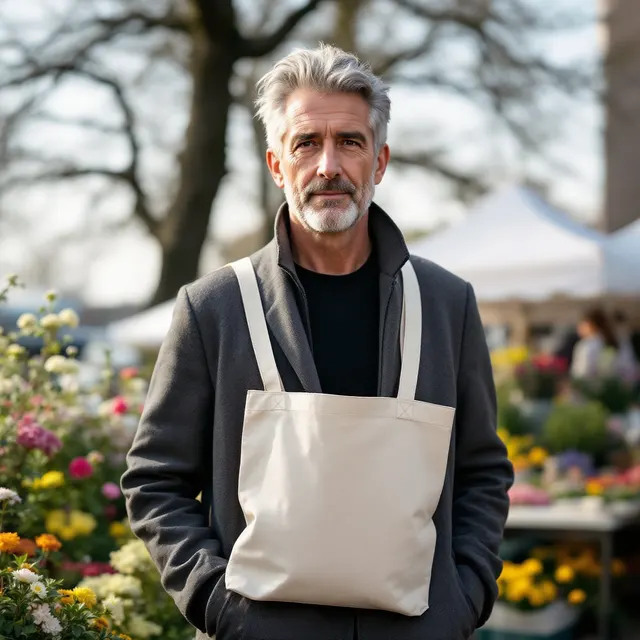
7 free tote bag mockups
Upload a design and it appears on every one.
52 more tote bag mockups in the full library
Each one is checked and measured by hand, so your design lands where a print would. They open with a Trendlytic plan and stay yours once downloaded, and the 3-day trial includes 15 credits.
3-day free trial ($1 card check) · from $19.99/mo · cancel anytime
59 canvas tote photos in black, white and natural
Women and men carry them on the shoulder, by the handles or held up in front; the rest lie flat, hang from a peg or a chair, or stand on a table. 7 are free; members open the rest.
One flat panel, square to the camera
Every tote was photographed with its front panel facing you and nothing crossing it, so the design sits on the canvas below the handles the way it is printed.
Natural canvas next to black and white
The cream of unbleached canvas changes how a design reads. Seeing the same artwork on all three colours side by side shows which one carries it.
How to make a tote bag mockup
- Pick your print file. A transparent PNG puts only the artwork on the canvas, with no box around it.
- It lands on the front panel of every tote at once, centred below where the handles are stitched.
- Open a tote marked Free, nudge or resize the design, and download it. A padlock means that photo belongs to the members' library.
Designs that hold up on canvas
Cotton canvas is a coarse weave, and a tote is usually seen from across a shop or a street, not up close. What works best on it:
- A few words, large.A book lover's line, a market-day joke, a town name. Readable at three steps, which is how far away most people see a tote.
- One-colour line art: plants, cats, a coffee cup. It prints cleanly on canvas and looks good on all three bag colours.
- A round badge or stamp, centred on the panel with a wide margin around it.
Very thin strokes, small text and soft gradients lose detail in the weave. If your lettering needs a style, the cursive font generator gives you a transparent PNG that drops straight onto these photos.
Natural, white or black
Natural canvas is the shopper most people picture, but it is cream, not white: pale yellow, beige and light grey parts of a design can sink into it. White makes saturated colours brighter. Black needs a white, cream or neon design and turns a quiet line drawing into a strong graphic. Use the Colour buttons to check one design on each before you choose which bags to list.
Show the scale
A buyer cannot tell the size of a tote from a flat photo alone. Lead with a tote on someone's shoulder or held by the handles, so the bag's size is plain against a person, and follow it with a flat lay or a tote on a peg that shows the whole panel with nothing in the way.
Find the niche before the tote
A mockup makes a design look finished; whether anyone buys it depends on the niche. Before you draw the next tote, see what buyers are already paying for and how many sellers are in the same spot. Trendlytic reads the designs selling on Etsy, Redbubble, TeePublic and Amazon US in one search and scores each niche on demand against competition. Plans start at $19.99 a month, after a 3-day trial.
A good mockup sells the design. The niche decides if anyone is looking.
Before you make the next design, see what is already selling. One Trendlytic search reads Etsy, Redbubble, TeePublic and Amazon Merch, shows how much demand a niche has against how many sellers are in it, and badges the designs that are rising now.
Start free 3-day trial3-day free trial ($1 card check) · from $19.99/mo · cancel anytime
Frequently asked questions
How do I make a tote bag mockup?
Pick your print file, ideally a PNG with a transparent background. It goes onto the front panel of every tote in the grid at once, below the handles. Drag it to place it, pull a corner to change its size, then download the photo you want. Everything is drawn in your browser, so your file never leaves your device.
What kind of design works on a canvas tote?
Bold shapes and words that read from a few steps away: a short phrase, a one-colour line drawing, a badge. Canvas has a coarse weave, so hairline strokes and tiny text lose detail in print. Leave a margin around the artwork, since the panel ends at seams on both sides.
Black, white or natural tote: which should I list?
Natural canvas is the classic shopper and the colour many buyers picture, white makes bright colours pop, and black carries white or neon artwork. Natural is cream, not white, so pale yellow and beige parts of a design can fade into it. Put the same design on all three in the grid before you choose.
Why are there no back views?
A tote is the same on both sides, and print-on-demand totes are printed on one face. Every photo shows the front panel square to the camera, which is the side your listing sells.
Which tote bag mockups are free?
The ones marked Free: a few carried by women and men and a few on their own. They download without an account or a watermark, as many times as you like. The others are in the members' library inside Trendlytic, where each tote you download stays saved for your next design.
May I use these tote mockups in my shop and ads?
Yes. We generated every blank tote photo with AI on our own account, so no photographer or model has a claim on it and no credit line is needed. Use them on Etsy, in your store, in ads and on social media; the photo rules of each marketplace still apply.
More free tools
Image Resizer
Resize PNG, JPG and WebP images by pixels or percentage, or size a t-shirt design for Amazon Merch, Redbubble, TeePublic and Etsy. Runs in your browser.
DTF Size Chart
What size DTF transfer to order for every shirt size, from baby bodysuits to 4XL, plus hoodies, sleeves and hats, each from a supplier's own guide. Sizes your artwork too.
Etsy Image Size Checker & Resizer
Drop in an image, click an Etsy size, and download it resized: banner, shop icon, listing photo and more. It also flags transparent PNGs and animated GIFs that break on Etsy.