TL;DR: Smartmockups.com shut down on September 27, 2024, and its address now sends you to Canva Mockups, where a free account can make up to 2,500 mockups. If you liked Smartmockups for phones, books and branding, Mediamodifier has the closest mix. Mockey and Dynamic Mockups suit sellers with many designs, Printful and Printify picture the exact blank you ship, and Photopea opens free PSD mockups at no cost. Trendlytic appears here as well, and I built it: a clothing-only mockup library that sits inside a niche research app.
If you type smartmockups.com into a browser today, you land on Canva. That surprises a lot of people who still have the old bookmark, and it raises fair questions: did the tool die, did it move, and is the Canva version the same thing?
It matters if mockups are part of how you sell. A print-on-demand shop on Etsy or its own site lives on listing photos, and a designer showing a client a logo on a mug needs the picture to look real.
Below is what Canva's own pages say happened, then eight Smartmockups alternatives with prices read on each company's site on November 23, 2026. One of them is mine. I founded Trendlytic, so it sits first, as on every roundup here, with its weak spots written out in full.
What happened to Smartmockups (November 2026)
Here is the short history, taken from Canva's newsroom and help center:
- 2016: Smartmockups was founded to make high-resolution mockups in the browser or on a phone.
- February 2021: it became part of Canva.
- September 14, 2022: Canva put a Smartmockups tool on its homepage, with over 2,000 mockup templates for free users and over 8,000 for Pro and Teams at the time. Canva's announcement now carries a note: "Smartmockups is now Canva Mockups."
- September 27, 2024: Smartmockups.com closed. Canva's help article "Smartmockups Officially Closed" says the team is now building its mockup tools inside Canva.
- November 23, 2026: we checked smartmockups.com, and it answers with a permanent redirect to canva.com/mockups.
The same help article covers files you already exported. They remain free of royalties for personal and commercial work, including showing your physical products such as t-shirts in an online shop. You may not sell or hand out the empty mockups, use them as stock photos, or remove the watermark from files exported during a Smartmockups trial.
What I could not confirm: whether saved Smartmockups projects can be moved into Canva. The old Smartmockups help pages that covered it now return a "page not found" error, so I would not count on getting them back.
Smartmockups alternatives at a glance
What a former Smartmockups user tends to miss, and what I compared:
- Range of objects. Smartmockups covered devices, cards, mugs, bags and apparel. Most POD tools cover apparel first.
- Upload once, see it everywhere. The speed of dropping one image into many scenes.
- A licence that covers selling. Some free tiers stop at personal use.
- The bill after the free part. All prices below are in US dollars unless a site showed us another currency.
| Tool | Best for | What it mocks up | Free option | Paid from (November 2026) |
|---|---|---|---|---|
| Trendlytic | Mocking up only designs that already have buyers | 1,065 AI-made shots of tees, hoodies and sweatshirts | 24 shots, no sign-up or watermark | $19.99/mo after a card-checked 3-day trial |
| Canva Mockups | Keeping the Smartmockups workflow where it moved | Devices, print, apparel, packaging, video | 2,500 mockups on the free plan | Pro, price set per country |
| Placeit | Lifestyle shots with models, plus logos and video | Apparel and much more, video templates | A free account | $7.47/mo billed yearly |
| Mediamodifier | The closest mix of devices, print and apparel | 15,000+ templates | Some mockups marked free | $19/mo or $190/yr |
| Mockey | One design on up to 50 products in one batch | Apparel, mugs, totes, phone cases, wall art | 3 JPGs a day, personal use | $9.90/mo; $49/yr on a Black Friday sale |
| Dynamic Mockups | Your own PSD files and catalogs synced to Etsy or Shopify | AI scenes, POD templates and PSDs you upload | 50 credits, unwatermarked exports | $19 a month, $182 a year |
| Printful and Printify | Accurate photos of the blank you actually ship | Their own catalogs | Standard mockups, after you sign up | $0; AI mockups need Printify Premium |
| Photopea with PSD mockups | Paying nothing and editing every layer yourself | Any PSD with a smart object | Free, with ads | Ad-free Premium from €5/mo |
1. Trendlytic: best for mocking up only designs that already have buyers
What it is: niche research on Etsy, Amazon US, Redbubble and TeePublic, plus a built-in library of tee, hoodie and sweatshirt mockups. Pricing: 24 shots cost nothing on our free mockup generator, eight per garment, with no sign-up, watermark or daily cap. Any plan opens the full library: $19.99/month for 100 credits, which read up to 12,000 designs on the marketplaces with a verdict on every niche, plus the 1,000 top designs in Best Design Instant, re-ranked every hour. Higher tiers are Pro at $49.99 and Business at $99.99, and every plan begins with a 3-day trial that asks for a card (a $1 check).
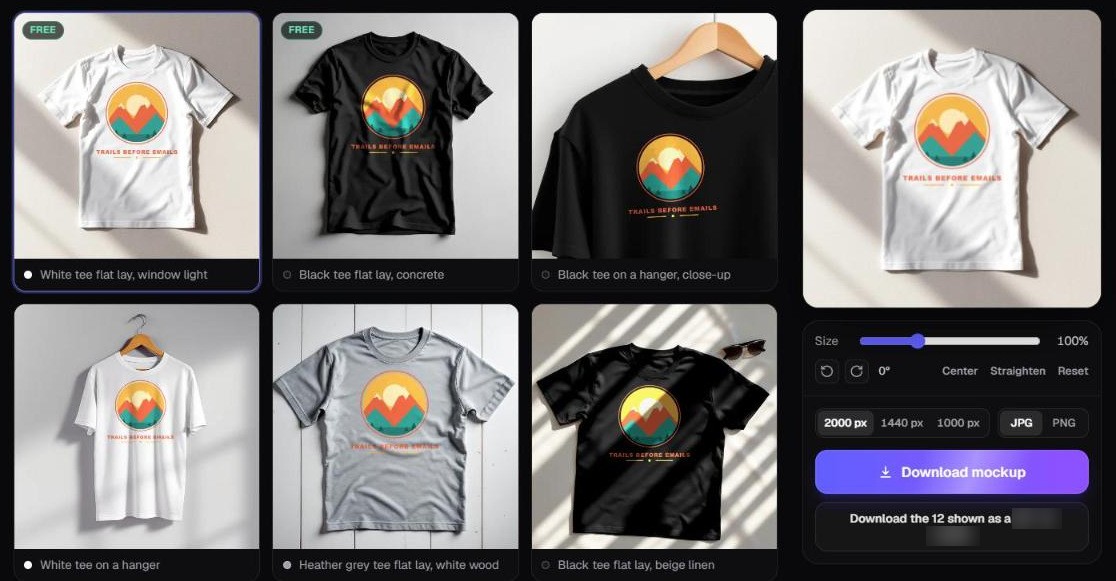
What's unique: Disclosure: this one is mine, so weigh my words accordingly. Trendlytic borrows the Smartmockups habit of one upload landing on every scene, and points it at clothing only. The library holds 1,065 AI-made photos (560 tees, 269 hoodies, 236 sweatshirts), each with its print area measured so the design sits where a real print would. Filters split the grid by wearer (toddlers, girls, boys, teens, women, men, or no one at all) and by shirt colour, favourites can be pinned to the top, and files download at 2000, 1440 or 1000 px as JPG or PNG, one at a time or 60 to a ZIP. The picture is drawn in your own browser, so the artwork never reaches our server.
The other half is the reason it exists. Before you photograph a design, one search shows what sells for that niche on all four marketplaces, and Rising flags new designs that already sell. You also get a USPTO lookup on any phrase you choose, which shows whether it is a registered mark. For Etsy listing photos specifically, the Etsy mockup generator page explains the square 2000 px format.
Strengths:
- One design shown on a toddler, a teen and a man in the same grid.
- Commercial use without a credit line, free photos included, and a downloaded mockup stays yours.
- Research and mockups on one bill, so the photo goes to a niche with demand.
Weaknesses:
- Clothing only: no phones, laptops, books, mugs or posters, which many Smartmockups users made.
- About 1,000 photos, against Mediamodifier's 15,000-plus.
- No custom scenes and no mockups from your own photos; the blanks are generic, not a named Gildan or Bella+Canvas.
- The source photos are 1440 px, so a 2000 px download is enlarged slightly.
- It is a research app first. If pictures are all you need, Mockey Starter costs less.
Best for: Etsy and own-store sellers who want to know a niche has buyers before they spend an evening on listing photos. You can run the 3-day trial, or begin with the free shots.
2. Canva Mockups: best for keeping the Smartmockups workflow where it moved
What it is: Smartmockups' successor inside the Canva editor, on web, desktop and mobile. You reach it under Elements or Apps, then Mockups. Pricing: a free account covers up to 2,500 mockups, and past that Canva asks you to upgrade to Pro (canva.com/mockups FAQ, November 2026). Pro pricing differs by country, and Canva's pricing page gave us only local currency, so check the figure for your country.
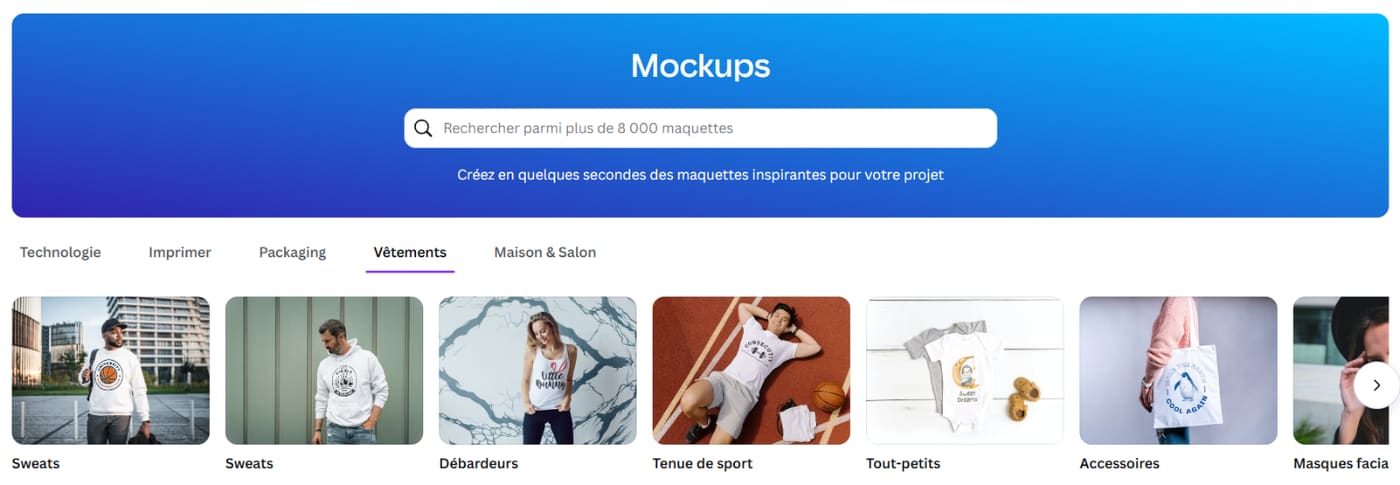
What's unique: This is the direct line from the old tool. The Smartmockups team now builds its mockups inside Canva. Templates span phones, websites, books, mugs, posters, packaging and t-shirts, with video mockups too. The newer trick is turning your own product photo into a mockup template: Canva's AI finds the flat surfaces in the picture, and you drop a design onto them. That feature is limited to Pro, Teams, Enterprise, Education and Nonprofit accounts, and Canva's premium stock photos do not work with it.
Canva's FAQ says free users get free mockups without watermarks, while a free Pro trial can leave a watermark on what you make. Exports carry no royalties and can be used in personal or commercial work; reselling them as your own blank mockups is not allowed.
Strengths:
- The same team and much of the same idea, in an editor many sellers already use.
- A generous free allowance, and the free mockups export clean.
- Mockups, listing graphics and social posts in one file.
Weaknesses:
- No standalone app any more: mockups now live inside a general design tool.
- Custom templates from your own photos need a paid plan.
- Pro prices vary by country, so you only see yours after checking.
Best for: former Smartmockups users who want the nearest match to the old routine, and anyone who already designs in Canva.
3. Placeit: best for lifestyle shots with models, plus logos and video
What it is: Envato's template site for mockups, shirt designs, logos and video. Pricing: one Unlimited subscription, "From: $7.47 /mo," billed yearly in US dollars, with unlimited downloads, commercial usage and high-resolution files (placeit.net/pricing, November 2026). The page did not show a month-to-month price, and after your first template download you are committed for at least a month.
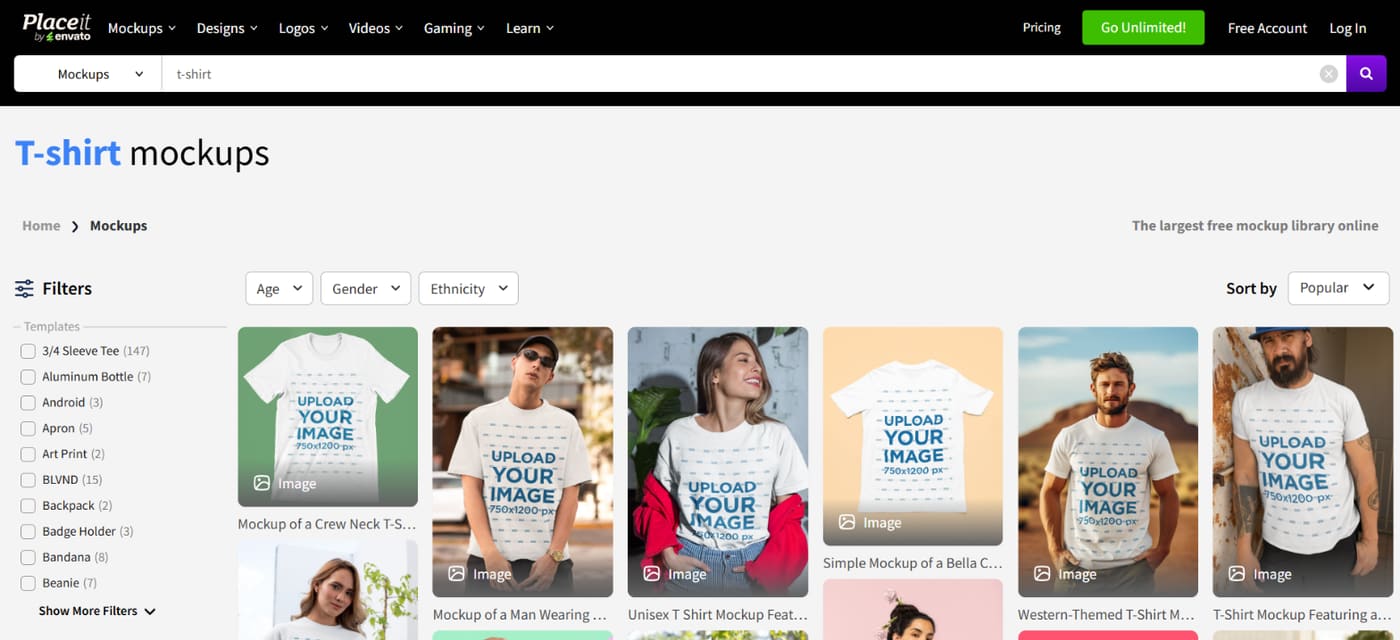
What's unique: Placeit calls itself the world's largest mockup library. For apparel its emphasis is lifestyle scenes with models, beside product-only, transparent-background and AI-generated shots, which matters when a buyer wants to picture the shirt on someone like them. The same subscription covers shirt design templates, logos and video, so a shop can make its promo clip and its listing photo in one place.
Strengths:
- Lifestyle, product-only and transparent-background mockups in one library.
- Logos and video in the same plan, at a low yearly price.
- Unlimited downloads with a commercial licence.
Weaknesses:
- The low figure needs a yearly payment up front.
- Design, logo and video templates are in the bill even if you only want mockups.
- Popular scenes are shared by every subscriber, so the same photo can show up in a rival shop.
Best for: sellers who want photos of real-looking people in their shirts and can use the logo and video tools too. My Placeit alternatives roundup covers who might want to leave it.
4. Mediamodifier: best for the closest mix of devices, print and apparel
What it is: an online library of mockups plus a design editor, AI image tools and an API. Pricing: Professional costs $19 a month or $190 a year ($15.83 a month), with unlimited downloads and a commercial licence. Team costs $45 a month or $450 a year for up to five members, plus extra seats at $9 a month (mediamodifier.com/pricing, November 2026, USD before VAT).
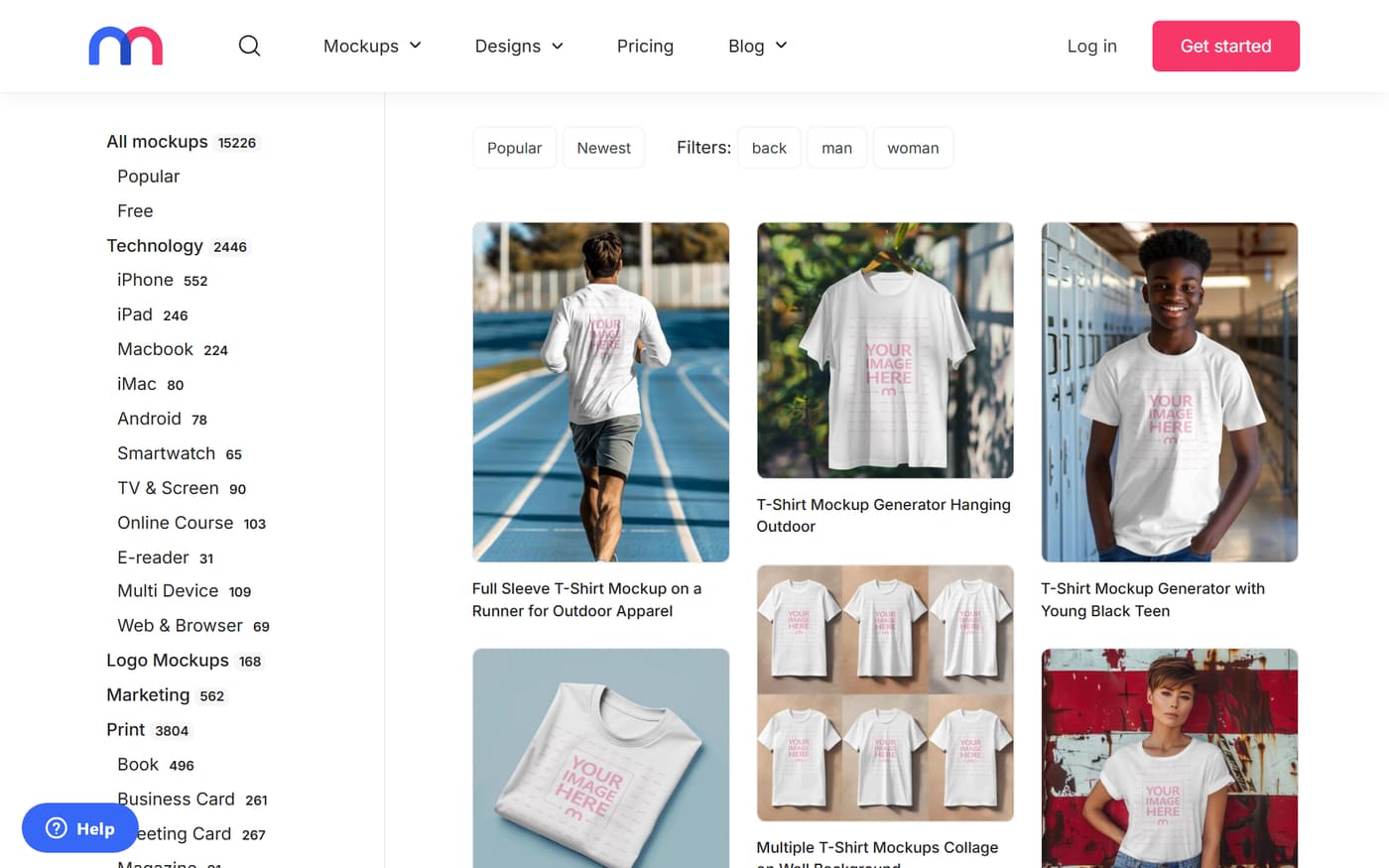
What's unique: If what you miss is Smartmockups' range rather than its apparel, Mediamodifier is the nearest fit. On the day we looked, its library counted 15,226 mockups: 2,446 for technology (iPhone, iPad, MacBook, Android, smartwatch), 3,804 for print (books, cards, posters, frames), 3,011 products such as mugs and boxes, and 3,032 for apparel, including 793 t-shirts. The pricing page counts 15,002 templates and mockups, with new designs added weekly. One subscription covers a designer's client work and a seller's listing photos.
Strengths:
- Devices, print, products and clothing in a single searchable library.
- Flat pricing with unlimited downloads on Professional.
- An API on the Team plan for automated mockups.
Weaknesses:
- Apparel is broad but thin in places: 77 hoodies and 73 sweatshirts that day.
- No free tier spelled out on the pricing page, only mockups marked free in the library.
- Refunds are limited: a request is reviewed when something is wrong, within 14 days of purchase.
Best for: designers who made phone, book and logo mockups in Smartmockups and want one paid home for all of them.
5. Mockey: best for one design on up to 50 products in a single batch
What it is: an AI mockup library and editor covering apparel, accessories, home goods, print, packaging and tech. Pricing: the free plan gives 1,000+ mockups as JPGs, three downloads a day, for personal use only. Starter is $9.90 billed monthly or $49 billed yearly, Creator $19 monthly or $129 yearly, and Forever $129 paid once. The yearly and lifetime prices were marked "Black Friday Sale" when we read them (mockey.ai/pricing, November 2026), so expect them to rise later.
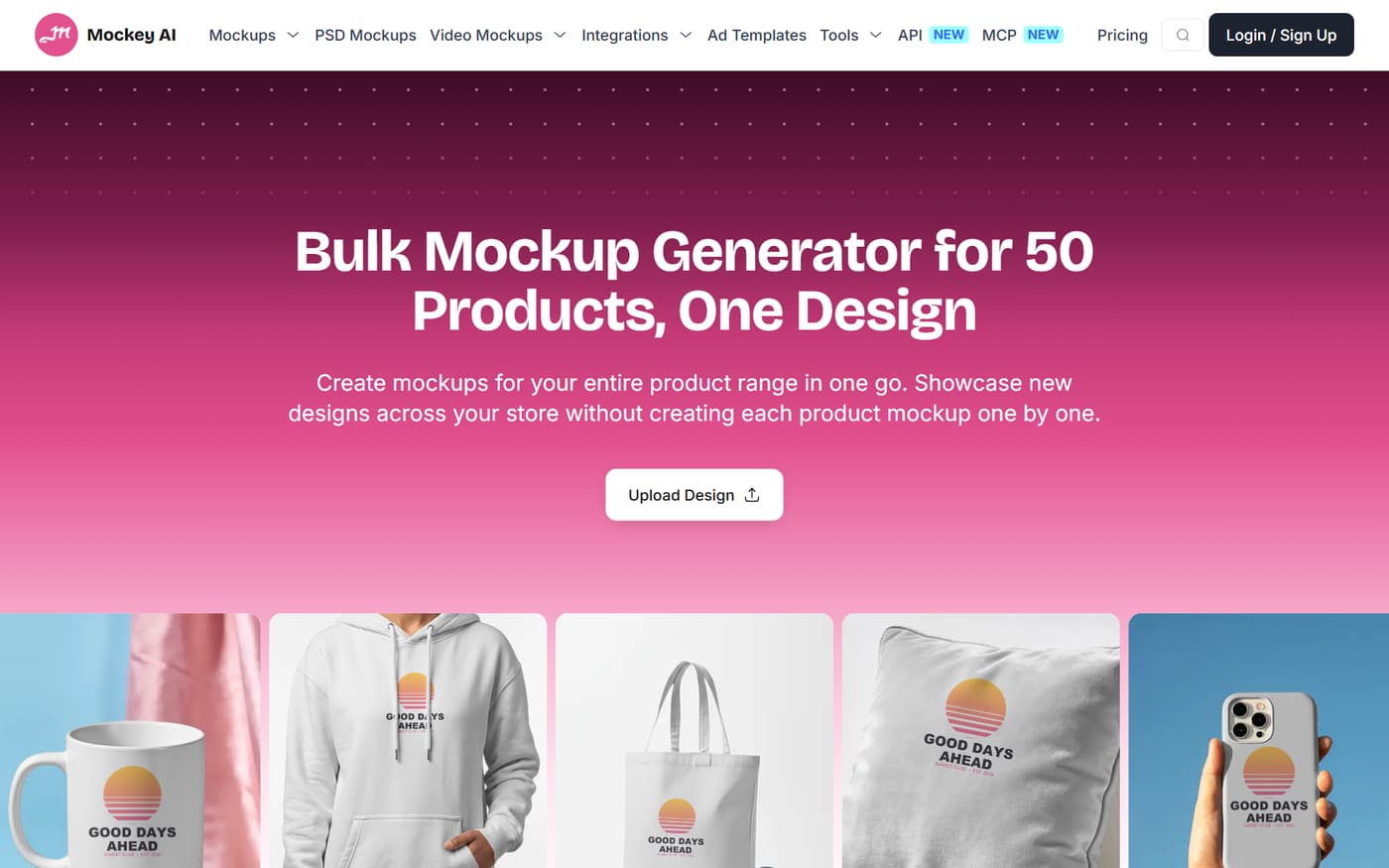
What's unique: Mockey's Bulk Mode does what one-scene editors cannot. You upload a design, see it across up to 50 product templates (tees, hoodies, totes, mugs, sweatshirts, phone cases, pillows, wall art), adjust colour and size, and download everything as one ZIP. It needs Starter, which also unlocks commercial use, PNG files, PSD mockups and unlimited downloads. Creator adds video mockups and AI tools such as background changes.
Strengths:
- The fastest way here to test one design on many product types.
- A low entry price, especially on the yearly sale.
- A one-time Forever plan for people who dislike subscriptions.
Weaknesses:
- Nothing from the free plan may go on a listing: its licence is personal.
- Starter's monthly plan carries no AI credits; those need yearly billing or Creator.
- The yearly and lifetime figures are Black Friday prices, so they may not last.
Best for: sellers who launch one design on shirts, mugs and totes at once and want the cheapest paid plan that allows it.
6. Dynamic Mockups: best for your own PSD files and catalogs synced to Etsy or Shopify
What it is: a POD-focused mockup service with an API, used by sellers and by the apps that serve them. Pricing: the free plan starts you with 50 credits and exports without a watermark. Pro is $19 monthly with 300 credits, or $182 for a year with 3,600; a Black Friday deal brought a yearly plan's first year down to $109.20 (dynamicmockups.com/pricing, November 2026). Its table says credits go only on batch generation, and single exports are unlimited.
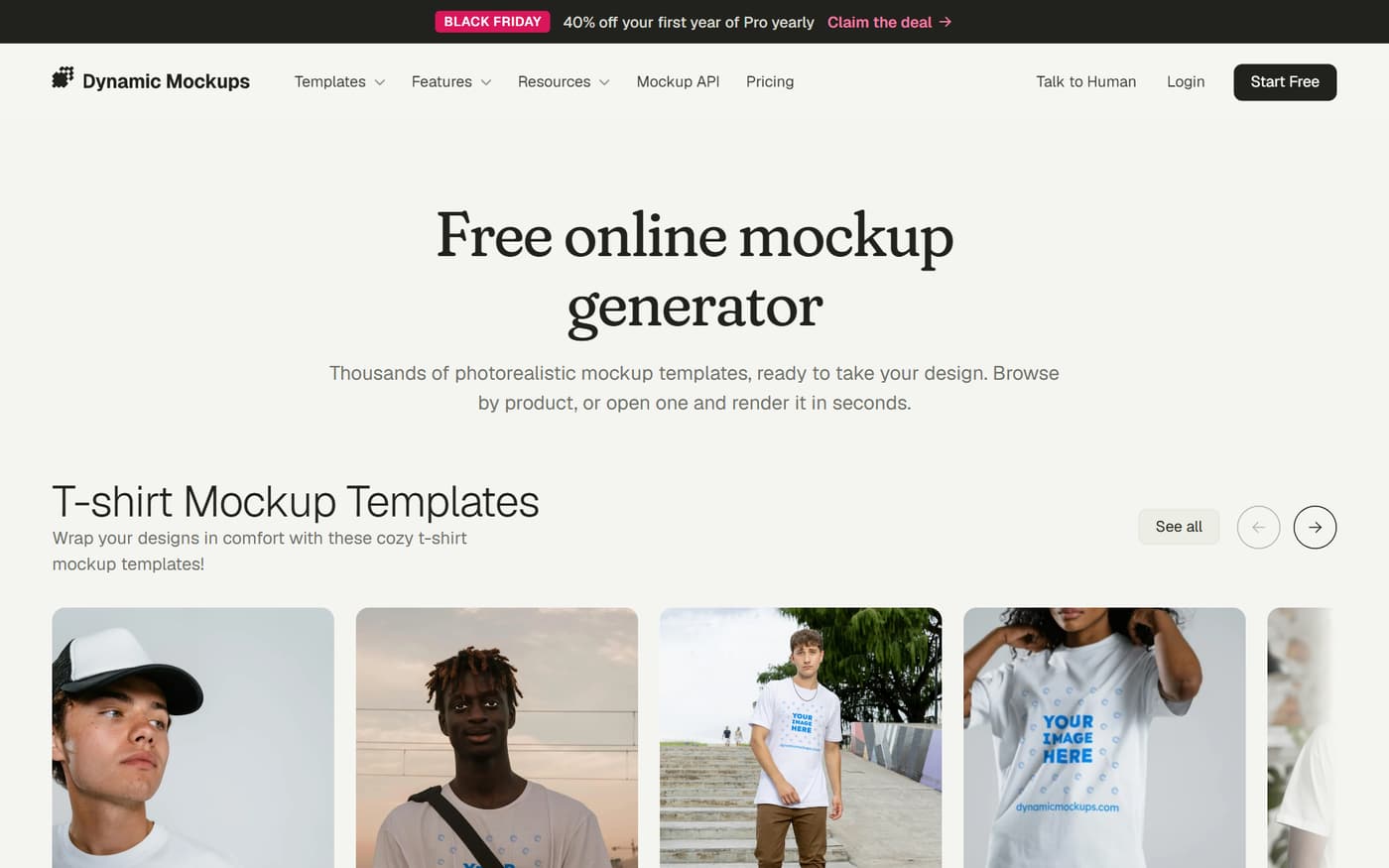
What's unique: Smartmockups gave you its scenes; Dynamic Mockups also renders yours. The free plan already includes custom Photoshop mockups, so a PSD you bought years ago becomes a browser template without opening Photoshop. On top sit thousands of POD templates, daily free AI generations (three images and one video for every user), and integrations with Etsy (it syncs mockups to your listings), Shopify, WordPress, Make and Zapier.
Strengths:
- Your existing PSD library keeps working.
- Batch export and catalog sync for shops with hundreds of products.
- A usable free plan with clean exports.
Weaknesses:
- Credits, catalogs and saved-template limits take a while to understand.
- Full integrations and clean API output need Pro.
- More machinery than a seller with five designs needs.
Best for: established shops with large catalogs, or anyone sitting on a folder of PSD mockups.
7. Printful and Printify: best for accurate photos of the blank you actually ship
What it is: the free mockup generators inside two large print-on-demand suppliers. Pricing: nothing. Printful asks you to sign up and save a product template first. Printify offers unlimited mockups across 2,000+ products, and its AI Mockups come with Premium: $39 billed monthly, or $299 a year, which it shows as $24.99 a month (printify.com/pricing, November 2026).
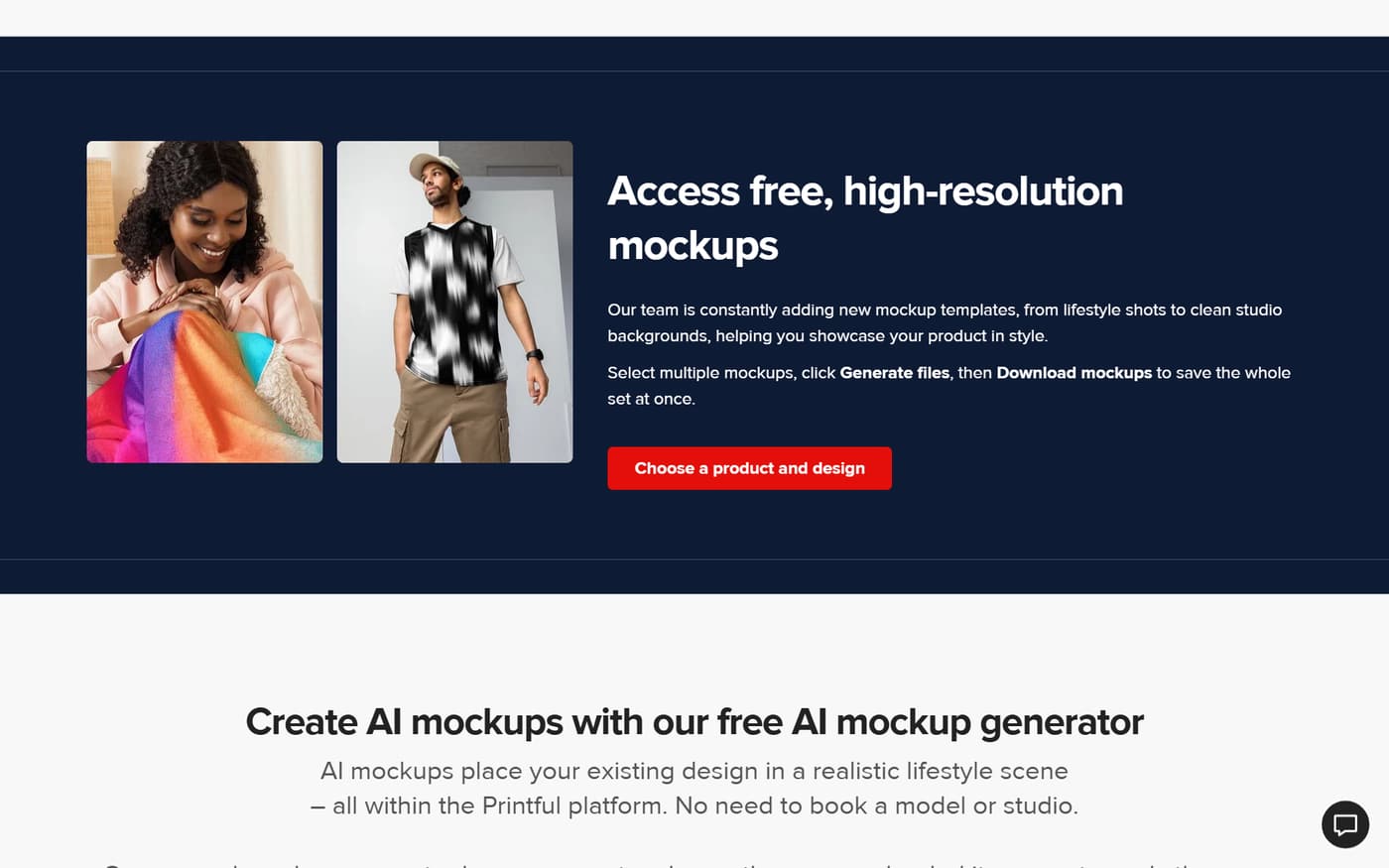
What's unique: A stock scene shows a shirt; these show your shirt. The blank, its colour and where the print lands match what the supplier makes, which keeps a listing honest. Both have moved past plain flat lays. Printful's free AI mockups cover select apparel, either on a model or as an isolated product, with 10 attempts a day. Printify lets you replace the plain white backdrop on bestsellers such as tees and mugs.
Strengths:
- No cost and no watermark.
- The photo matches the order down to the blank.
- Whole mockup sets downloaded in one go.
Weaknesses:
- Useless for products printed anywhere else.
- No picture appears until the product is set up.
- Their stock scenes are shared by countless other shops.
Best for: shops that already print with one of the two and want a truthful photo beside a lifestyle one. Choosing between them first? See my Printful vs Printify comparison.
8. Photopea with PSD mockups: best for paying nothing and editing every layer yourself
What it is: a browser-based photo editor, free to use, that opens and saves PSD files and hosts templates by independent authors. Pricing: free, with ads. Premium removes the ads and adds 5 GB of storage and 3,000 AI credits a month; the editor showed it to us from €5 a month, paid as one-time purchases rather than a subscription (photopea.com, November 2026).
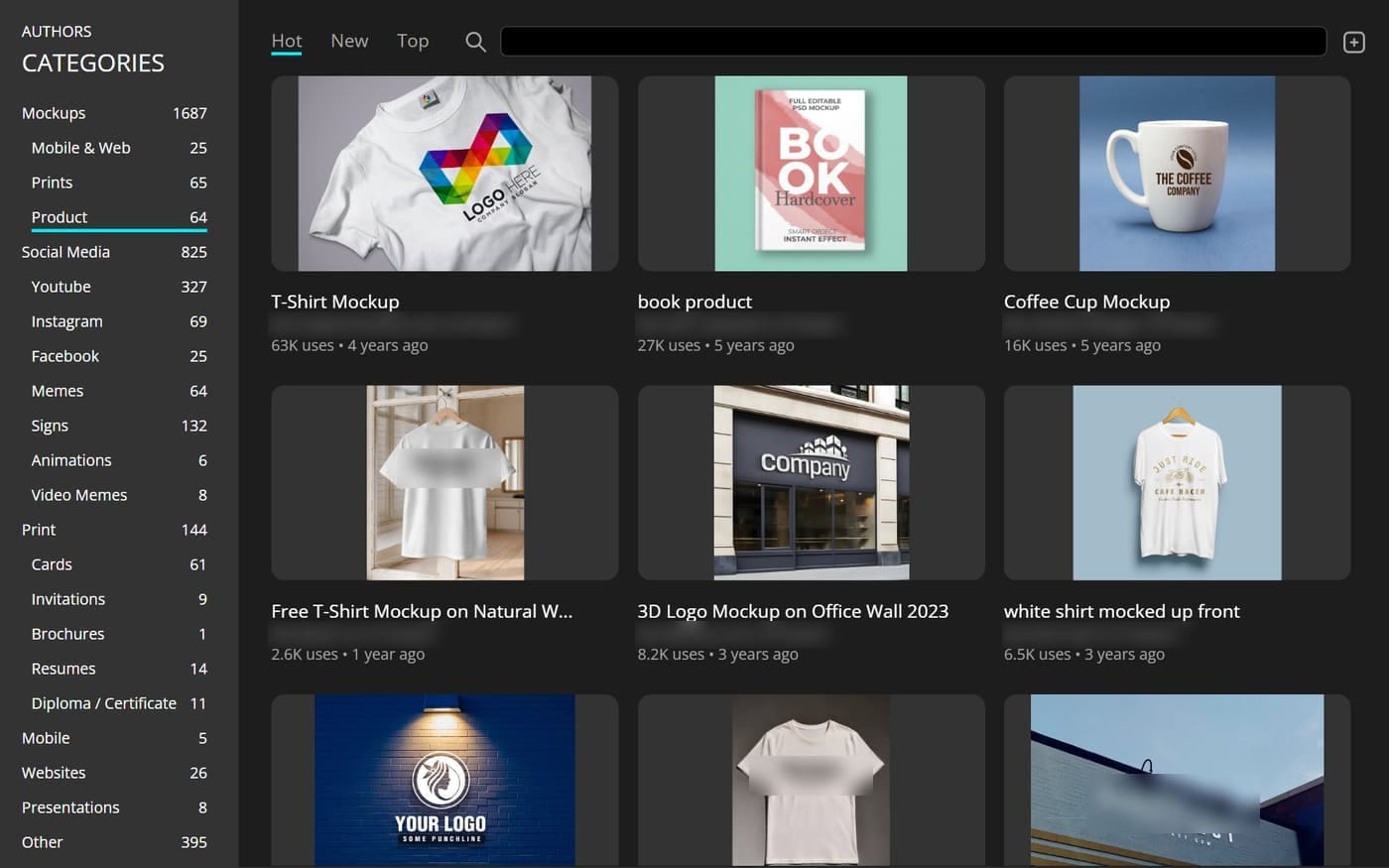
What's unique: Photopea supports Smart Objects, the layer that most PSD mockups use to hold your design. Its template gallery listed 1,687 mockups that day, 64 of them product mockups, and it opens any PSD mockup you download elsewhere. Photopea says files are processed on your device and never uploaded, which suits unreleased work.
Strengths:
- Free, with nothing to install.
- Works with any PSD mockup, from any source.
- Full control over shadows, warps and colour.
Weaknesses:
- One file at a time: you replace the smart object, export, and repeat.
- Template quality varies from author to author, and a PSD from another site comes with that site's licence.
- More to learn than a click-and-drop tool.
Best for: sellers on no budget, designers who already own PSD mockups, and anyone who wants pixel-level control. For apparel-only picks, my t-shirt mockup generator comparison and the hoodie version go deeper.
Which Smartmockups alternative fits your work
You made phone, laptop and book mockups
Canva Mockups is the natural next step, and Mediamodifier is a paid option with 2,446 tech mockups alone. Trendlytic will not help here: it does clothing only.
You sell shirts on Etsy or through your own Shopify site
There you provide every listing photo yourself, so the choice matters most. Use your supplier's generator for the accurate shot, then add lifestyle photos from Canva, Placeit or our library. If your designs span ages, ours shows a kids' version and an adult version from one upload.
Your shop is on Amazon Merch, Redbubble or TeePublic
Those three draw the product pictures themselves from the file you upload. Your own mockups only do work off the marketplace: Pinterest, Instagram, Facebook groups, email. A free allowance from Canva or your supplier usually covers that.
You release dozens of designs a month
Mockey's Bulk Mode handles one design on many products, and Dynamic Mockups handles many designs with batch export and store sync. Pick by which of the two you do more.
You want to spend nothing
Canva's 2,500 free mockups, Printful or Printify for their own products, Photopea with free PSDs, and our 24 free apparel photos. Skip Mockey's free files for listings: their licence is personal use.
You are not sure the design deserves a photo shoot
Settle that first. Before any design work, confirm that real buyers exist and that the niche is not crowded, and judge it by what sells rather than by search counts alone. Doing that across four marketplaces by hand takes hours, which is the job Trendlytic automates. Best Niches Today does part of it each morning, and almost every niche in it has low competition on two marketplaces or more.
FAQ
What happened to Smartmockups? Smartmockups joined Canva in February 2021, and smartmockups.com closed on September 27, 2024, per Canva's help center. The tool lives on as Canva Mockups, and the old address redirects to canva.com/mockups (checked November 23, 2026).
Can I still use mockups I exported from Smartmockups? Yes. Canva's closure notice says previously exported Smartmockups files can still be used without royalties in personal or commercial work, product listings included. You cannot sell empty mockups, use them as stock photos, or strip a trial watermark.
Is Canva Mockups free? Partly. A free Canva account allows as many as 2,500 mockups, and the free ones export without a watermark. Beyond that, and for custom mockup templates made from your own photos, you need a paid plan.
What is the best free Smartmockups alternative? For general mockups, Canva's free plan. For apparel you print through a supplier, Printful's or Printify's generator. For PSD files, Photopea. For one design on many shirt wearers, our free mockup generator has 24 photos with no sign-up. Mockey's free plan is limited to personal use.
Which Smartmockups alternative suits print on demand best? It comes down to where you sell. Etsy and own-store sellers need their own listing photos, so a supplier generator plus a lifestyle library works well. Redbubble, TeePublic and Amazon Merch create product images for you, so mockups there are mainly for promotion.
Can I use these mockups in Etsy listings? Yes, where the licence covers commercial use. Canva, Placeit, Mediamodifier's paid plans, Mockey's paid plans and ours say so on their own pages; PSD templates carry each author's terms, and for Dynamic Mockups I would confirm with their support. The photo should show the item the buyer receives, and if a print provider makes it, Etsy wants that production partner named on the listing.
Conclusion
Smartmockups did not vanish; it became Canva Mockups, and for most former users that is the easiest place to continue. If you need devices and print in one paid library, Mediamodifier is the nearest match. For volume, Mockey or Dynamic Mockups. For honest product photos, your supplier. For no budget at all, Photopea.
If the harder question is which designs deserve photos in the first place, Trendlytic sets research on Amazon US, Etsy, Redbubble and TeePublic beside the mockup library, and adds a USPTO lookup on any phrase you choose. The entry plan is $19.99/month for 100 credits, which read up to 12,000 designs on the marketplaces with a verdict on every niche, plus the 1,000 top designs in Best Design Instant, re-ranked every hour, after a 3-day trial that asks for a card. Open your 3-day trial.
Which Smartmockups feature do you still miss, and has anything replaced it for you?
Try Trendlytic
Find your next winning POD niche in 40 seconds
Live data from TeePublic, Amazon Merch, Redbubble, and Etsy, and a one-click USPTO lookup on any phrase. Then turn any winner into a listing for a design of your own in that niche. Plans from $19.99/month.
Start researchingLiked this? Learn niche research in 5 short emails.
One email a day for 5 days: how sellers pick niches, why designs fail, and how to check yours. Unsubscribe in one click.
Keep reading
- Trendlyticplaceit alternatives
Placeit Alternatives: 8 Picks for POD Sellers in 2026
The JournalPlaceit Alternatives: 8 Picks for POD Sellers in 2026
November 16, 2026 · 17 min read
- Trendlyticetsy black friday
How to Run an Etsy Black Friday Sale in 2026
The JournalHow to Run an Etsy Black Friday Sale in 2026
November 22, 2026 · 18 min read
- Trendlyticmug design ideas
50 Mug and Tumbler Design Ideas for 2026, by Niche
The Journal50 Mug and Tumbler Design Ideas for 2026, by Niche
November 20, 2026 · 19 min read