TL;DR: The best sublimation printer is the one whose width matches what you press. For mugs, tumblers and small prints, 8.5 inches is enough: Brother's SP1 ($379.99), Epson's SureColor F170 ($399 MSRP) or a Sawgrass SG500 bundle ($599.95 on sale). A full shirt front needs 11 to 13 inches: Epson's new F370 ($999), a Sawgrass SG1000 bundle ($1,699.95) or a converted EcoTank ET-15000 ($449.99 on sale), though Epson will not pay for damage third-party ink causes. Every price and spec comes from the maker's own page, read on 26 November 2026.
Search for the best sublimation printer and you get long lists and "top pick" badges. I wanted a plain side-by-side of the machines a small seller weighs, using only what each maker says.
Getting it wrong costs real money. Too narrow, and you cannot print a full adult shirt front. Converted, and the repair bill is yours.
Here are eight printers from Sawgrass, Epson and Brother, compared on the makers' own spec sheets and prices. I have not run them side by side, so there are no scores. I run Trendlytic, a research tool for print-on-demand sellers; it sells no printers and is not on this list.
How I compared these sublimation printers
Four things decide the fit, and each maker publishes all four:
- Print width. Mugs, tumblers, coasters and kids' tees fit on 8.5-inch paper; an adult tee's full front does not, as our sublimation printer explainer measures.
- Ink system. Bottles or cartridges, and whether the maker supports the ink you use.
- Warranty, in the maker's words. The fine print on ink matters most.
- Price on the maker's own store. For bundles, I say what is inside.
I read these pages during Black Friday week, so several prices are sale prices.
| Printer | Best for | Max print width | Ink system | Price (maker's site, November 2026) |
|---|---|---|---|---|
| Epson SureColor F170 | A first mug and tumbler setup on a budget | 8.5 in | Epson T49M bottles, 4 x 140 mL included | $399 MSRP, out of stock |
| Sawgrass SG500 | A first setup with training and a long warranty | 8.5 in (8.5 x 51 in with bypass tray) | SubliJet or VersiFlex cartridges, 31 mL | $599.95 SubliJet bundle (sale), $699.95 VersiFlex bundle |
| Brother SP1 | Designing on your phone | 8.5 in (Legal paper) | Brother cartridges, 4 x 47 mL included | $379.99 (was $429.99) |
| Epson EcoTank ET-2800, converted | Testing sublimation before you commit | 8.5 in (Legal paper) | Third-party sublimation ink | $239.99 before ink |
| Epson SureColor F370 | 13-inch-wide shirt prints | 13 in (13 x 19 tray) | Epson T49M bottles, 4 x 140 mL included | $999 |
| Sawgrass SG1000 | Cotton and polyester shirts from one printer | 11 in (13 in with bypass tray) | SubliJet or VersiFlex, 31 mL or 70 mL extended | $1,699.95 SubliJet bundle, from $1,999.95 VersiFlex bundle |
| Epson EcoTank ET-15000, converted | Shirt-width transfers on the smallest budget | 13 in (rear feed) | Third-party sublimation ink | $449.99 on sale (was $699.99) before ink |
| Epson SureColor F570 | Volume and roll printing | 24 in (rolls up to 24.4 in) | Epson T49M bottles, 140 mL | $2,495, out of stock |
Sources: the makers' product pages and the ET-2800 and SP1 user's guides, read 26 November 2026.
1. Epson SureColor F170: best for a first mug and tumbler setup on a budget
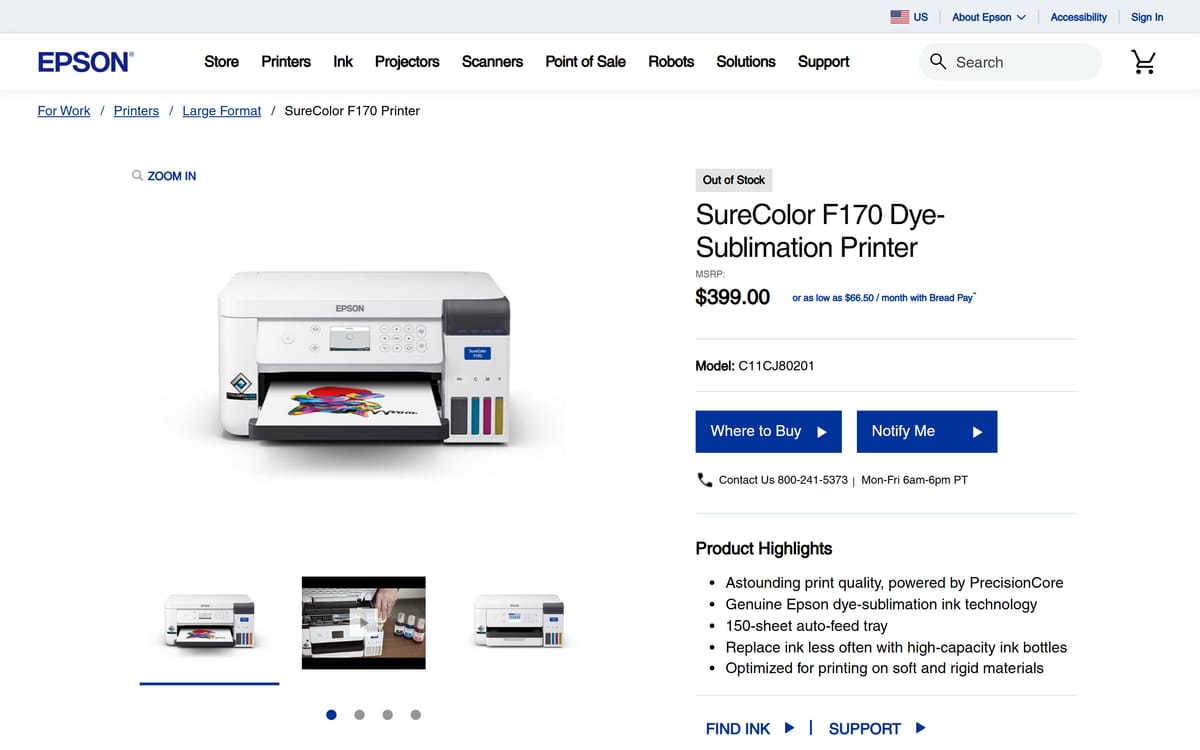
Price: $399 MSRP (epson.com, November 2026); the page showed Out of Stock Print size: 8.5 inches wide, on sheets up to 8.5 x 47.2 inches Ink: four 140 mL Epson T49M bottles in the box; refills $24.95 each Warranty: "Standard 1-year unit exchange with toll-free phone support Monday through Friday"
The F170 is the lowest-priced desktop machine Epson builds and warrants for sublimation. Epson calls it "ideal for personalizing awards, mugs, mousepads and more."
Strengths:
- A full set of Epson ink ships in the box, so the sticker price is close to the cost of your first prints.
- Refillable bottles, and the ink and warranty come from one company.
Weaknesses:
- 8.5 inches is too narrow for a full adult shirt front.
- Out of stock on epson.com the day I looked, and Epson says it "is designed for use with Epson ink bottles only."
Best for: a seller starting with mugs, tumblers, coasters and kids' tees who wants maker support from the first print.
2. Sawgrass SG500: best for a first setup with training and a long warranty
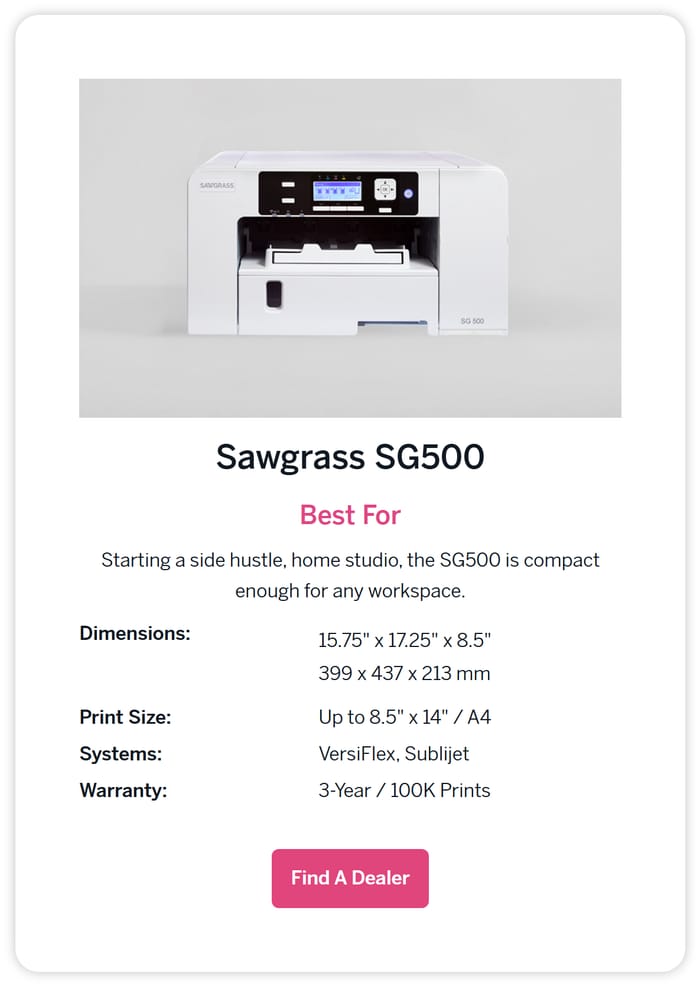
Price: SubliJet printer, ink and paper bundle $599.95 on sale, $659.95 regular; VersiFlex bundle from $699.95 (shop.sawgrassink.com, November 2026) Print size: up to 8.5 x 14 inches; 8.5 x 51 inches with the optional bypass tray Ink: SubliJet (sublimation) or VersiFlex (cotton plus sublimation), 31 mL cartridges Warranty: 3 years or 100,000 prints on purchases from 1 October 2025, for the original purchaser
Sawgrass sells systems rather than bare printers. The SubliJet bundle lists the printer, a 31 mL ink set, 100 sheets of transfer media, MySawgrass design software, Sawgrass Print Utility with TruePix color management, and free one-on-one live setup and training. Sawgrass also cites automatic maintenance against clogs.
Strengths:
- The longest warranty on this list, with color management and training included.
- With VersiFlex ink, the same printer also makes transfers for cotton.
Weaknesses:
- Sawgrass ink only: its FAQ says other inks "could void the warranty on your printer."
- You choose SubliJet or VersiFlex once; Sawgrass says a printer cannot switch ink type after an ink set is installed.
- The F170's width for about $200 more on sale, with paper and software added.
Best for: a beginner who would rather pay more up front for a long warranty, training and a color workflow than learn alone.
3. Brother SP1: best for designing on your phone
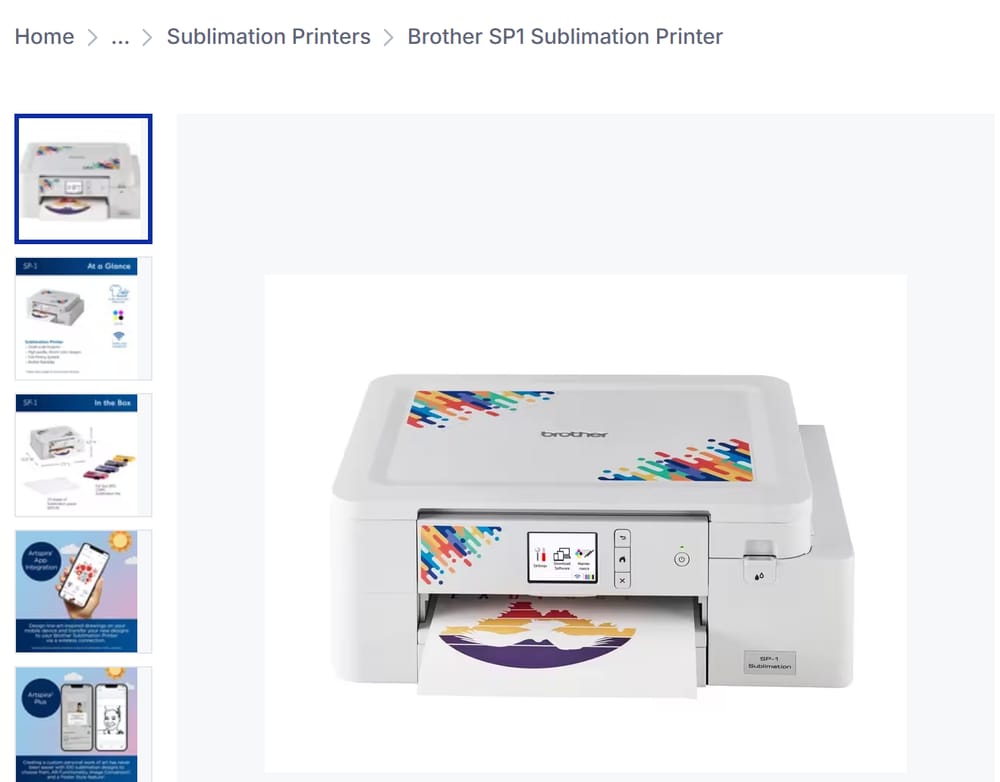
Price: $379.99, marked down from $429.99 (brother-usa.com, November 2026) Print size: Letter, A4 and Legal paper, so up to 8.5 x 14 inches (SP1 user's guide) Ink: four 47 mL Brother sublimation cartridges and 10 sheets of paper in the box Warranty: "2 Year Limited Warranty & Replacement Service"
The SP1 is built around Brother's Artspira app, which Brother says gives "access to over 100 free sublimation designs"; you edit on your phone and send the design to the printer over Wi-Fi. Its listed uses run from tees and totes to mugs and metal tumblers.
Strengths:
- The lowest price here for a printer its maker sells for sublimation, with ink and paper included.
- Two years of warranty, double the year on Epson's desktop F-series.
- Its guide says it wakes itself for print head maintenance, even when switched off.
Weaknesses:
- 8.5 inches wide, and 47 mL cartridges rather than bottles.
- Brother's guide says it "may charge for repairing your machine if it is proven that non-genuine supplies caused the damage."
- The page focuses on the app, not color profiles or volume, so bulk sellers have less to go on.
Best for: crafters who make personalized gifts one at a time and design on a phone.
4. Epson EcoTank ET-2800, converted: best for testing sublimation before you commit
Price: $239.99 on epson.com, before sublimation ink (November 2026) Print size: Legal (8.5 x 14 inches); custom sizes to 8.5 x 47.24 inches from a computer (ET-2800 user's guide) Ink: third-party sublimation ink; Epson's own bottles stay unopened Warranty: 1 year or 30,000 printed sheets, with exclusions that matter here
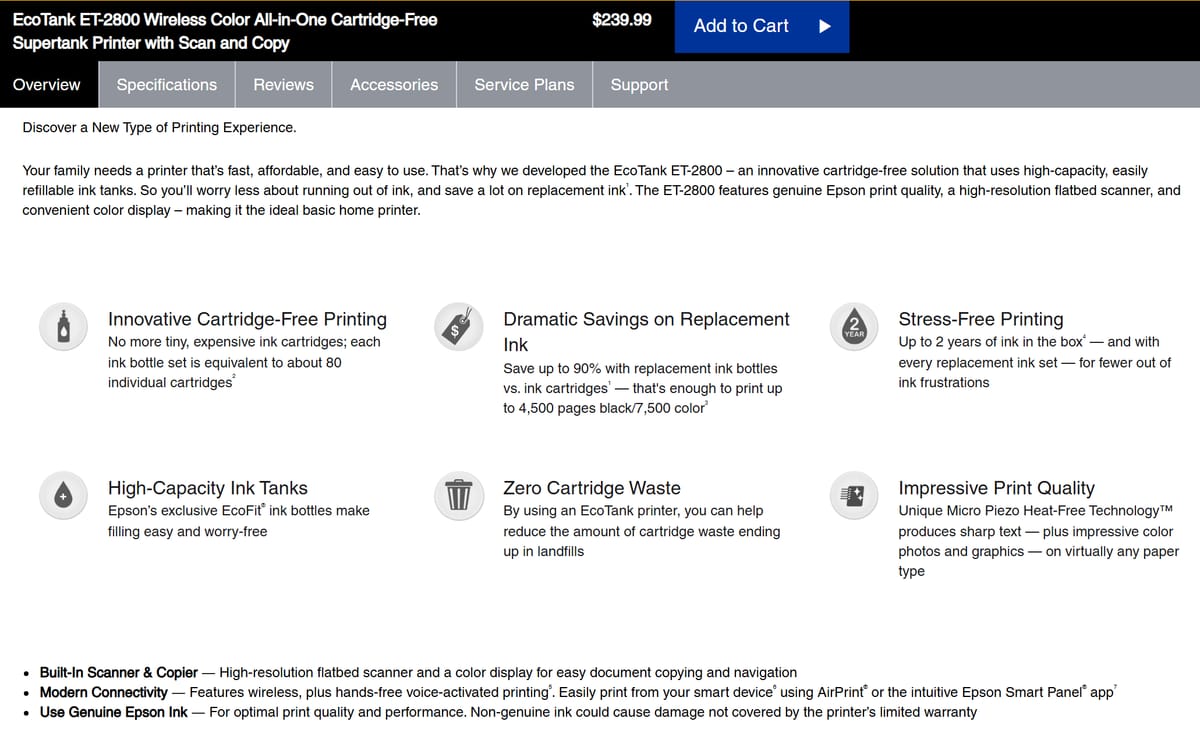
Epson does not sell a sublimation version of this printer. Converting means buying an ordinary home EcoTank, never filling it with Epson ink, and pouring in a third-party sublimation ink instead. It can take that ink because its head uses what Epson calls "Micro Piezo Heat-Free Technology".
What Epson says, in its own words:
- The ET-2800 page warns that ink Epson did not make may cause damage its limited warranty will not cover.
- The ET-2800 warranty statement (purchases from 1 October 2024) excludes "Damage to the Epson printer caused by parts or supplies not distributed by Epson", damage from loading the incorrect "ink type", and "Damage caused by excessive usage such as continuous or commercial use."
- An Epson FAQ on third-party ink, filed under an older Stylus Pro printer, says such ink leaves the original warranty in place, yet Epson will not pay to fix a failure that ink causes.
In plain terms, the warranty exists on paper, and the failure most likely on a converted printer is the one it will not pay for. Selling what you press adds the commercial-use exclusion.
Strengths: the lowest entry price on this list, refillable tanks, and a cheap way to learn pressing.
Weaknesses: Epson does not support the use, and offers no sublimation color profile or helpline.
Best for: finding out whether you enjoy making products before you spend on a supported machine. The explainer covers the conversion steps.
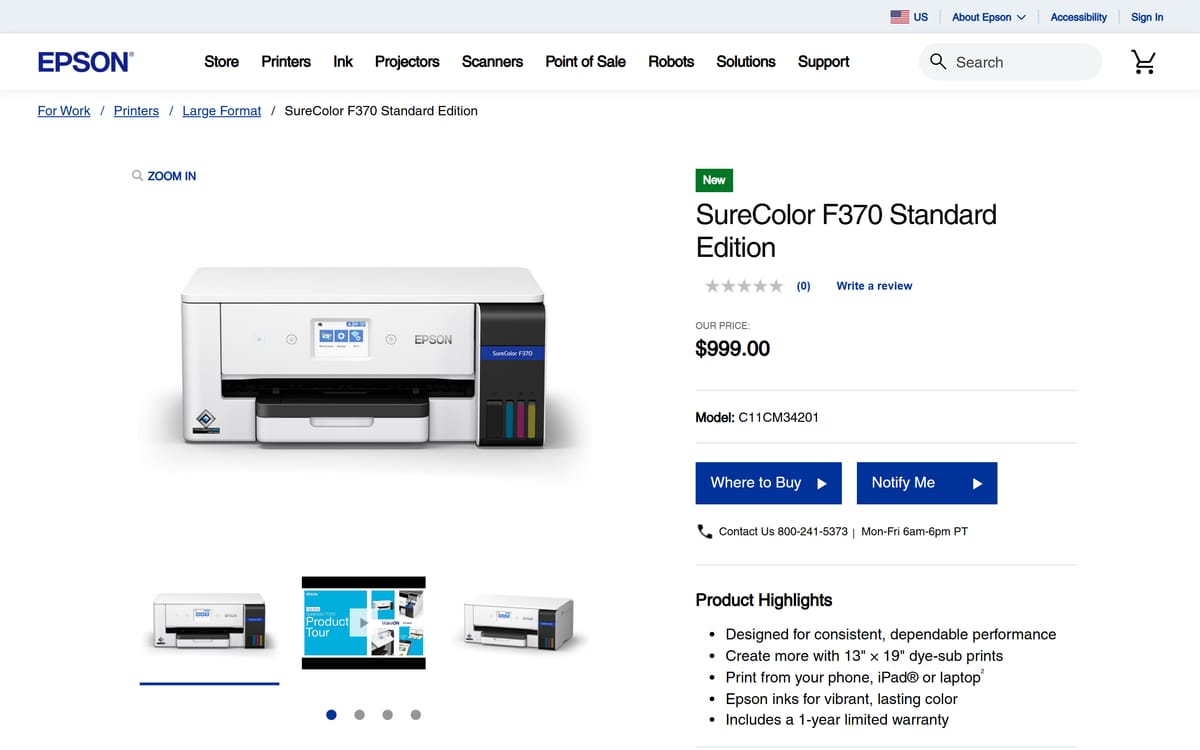
5. Epson SureColor F370: best for 13-inch-wide shirt prints
Price: $999 on epson.com, labelled New (November 2026) Print size: 13 x 19 inches from a 15-sheet tray, plus an auto-switching 150-sheet 8.5-inch cassette Ink: a 140 mL Epson T49M CMYK set in the box Warranty: "Includes a 1-year limited warranty"
The F370 fills the gap between Epson's 8.5-inch F170 and 24-inch F570, and Epson's examples include tees, tumblers and photo panels. The two paper paths are the practical part: mug transfers stay in the cassette while shirt transfers use the 13 x 19 tray.
Strengths:
- 13 inches covers an adult full-front print.
- Epson ink in the box, the same T49M bottles as the F170 and F570.
- Two trays, so no paper swapping between orders.
Weaknesses:
- One year of warranty on a $999 machine, against three on a Sawgrass.
- New this season, so there is little owner experience to read yet.
Best for: a seller adding shirts to a mug and tumbler line who wants Epson's ink and support at shirt width.
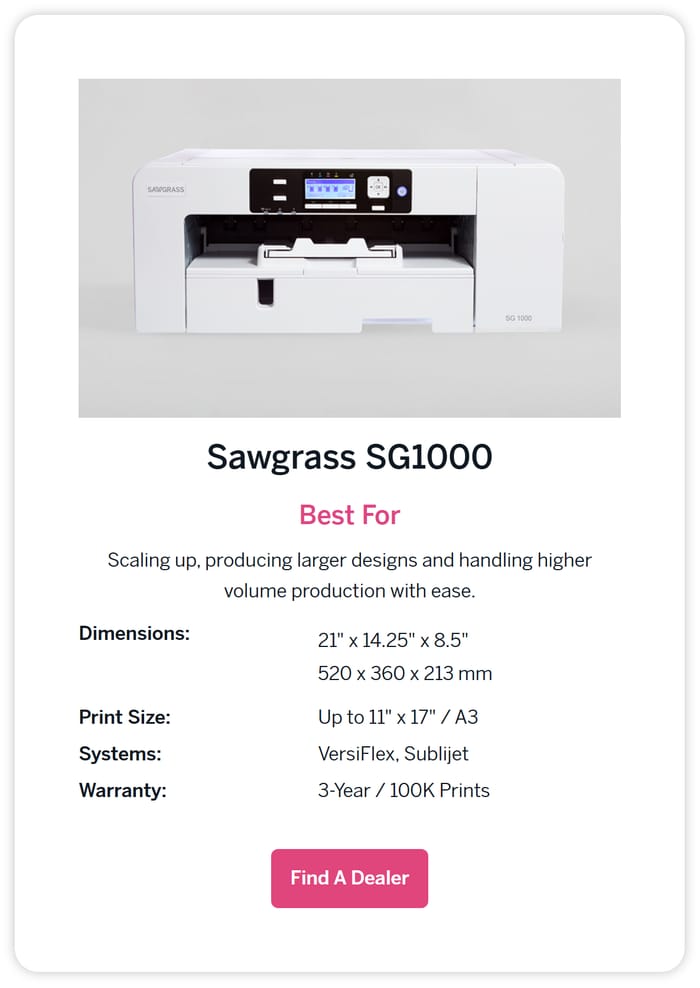
6. Sawgrass SG1000: best for cotton and polyester shirts from one printer
Price: SubliJet bundle $1,699.95; VersiFlex bundle from $1,999.95 (shop.sawgrassink.com, November 2026) Print size: 11 x 17 inches from the main tray; 13 x 19 with the optional bypass tray Ink: SubliJet or VersiFlex; 31 mL cartridges, with 70 mL extended cartridges available Warranty: 3 years or 100,000 prints, original buyer only
Sawgrass says its two printers "have the same components and operate the same"; the SG1000 takes larger paper and cartridges. For a shirt seller, the draw is VersiFlex at full-front width: Sawgrass describes its VersiFlex MAX media as "White-layer technology, full-color designs on light and dark cotton tees with no white ink and no powder."
Strengths:
- One desktop printer for polyester sublimation and cotton transfers, if you choose VersiFlex.
- 13 x 19 through the bypass tray, extended cartridges and the three-year warranty.
Weaknesses:
- The SubliJet bundle costs about $700 more than Epson's F370, though it includes paper, software and training.
- One ink type for the life of the printer, as with the SG500.
- Dark cotton is Sawgrass's own claim: ask a dealer for a pressed sample first.
Best for: a shop selling both polyester sports tees and cotton tees from one machine. If dark cotton is your main product, read DTF vs sublimation too.
7. Epson EcoTank ET-15000, converted: best for shirt-width transfers on the smallest budget
Price: $449.99 "after 36% savings" from $699.99 on epson.com, before sublimation ink (November 2026) Print size: up to 13 x 19 inches through the rear specialty-paper feed Ink: third-party sublimation ink in place of Epson's 502 bottles Warranty: the page warns that ink Epson did not make may cause damage the limited warranty does not cover
This is the converted route to shirt width. At the sale price it costs about $549 less than the F370 and about $1,250 less than the SubliJet SG1000 bundle, before ink and paper. At full price, the gap is about $299.
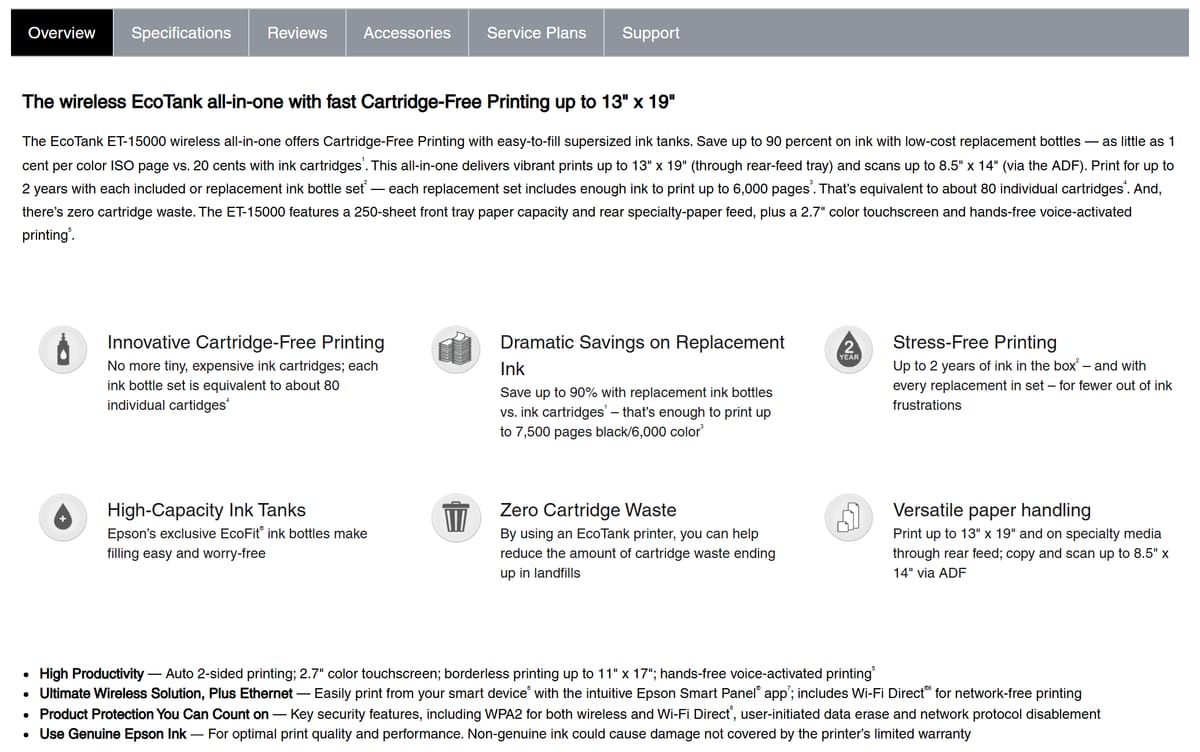
The trade-offs match the ET-2800's. The 13 x 19 sheets use the rear specialty feed, not the 250-sheet front tray.
Strengths: the lowest price here for 13 x 19 transfers, with refillable tanks.
Weaknesses: no Epson support for the use, ink-caused failures at your cost, and a sale price that may not last.
Best for: a seller who already knows sublimation, needs shirt width and accepts the repair risk to save money.
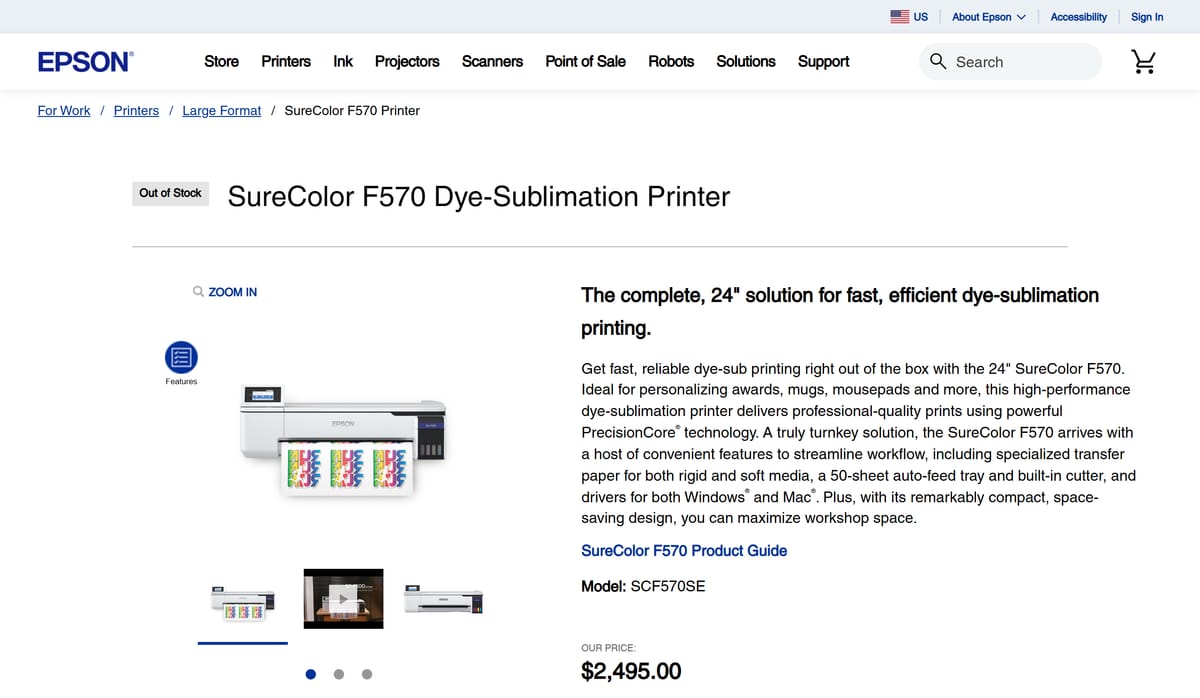
8. Epson SureColor F570: best for volume and roll printing
Price: $2,495 (epson.com, November 2026); the page showed Out of Stock Print size: rolls up to 24.4 inches wide; an auto sheet feeder for sheets up to 11.7 inches wide Ink: Epson T49M 140 mL bottles; the page's box list names the printer, a poster, a guide and a power cable, so budget for ink Warranty: one year, with Epson usually repairing it on-site by the next business day, plus weekday toll-free phone support
The F570 is the wide-format option that still fits a small business: a 24-inch desktop printer that takes roll paper, with a built-in rotary cutter. Rolls let a run of transfers print as one job instead of sheet by sheet.
Strengths:
- 24 inches of width and roll feeding for long or ganged transfers.
- Warranty repair usually on-site the next business day, and the same T49M ink as the F170 and F370.
Weaknesses:
- Out of stock the day I looked; the F570 Pro edition, which added Epson Edge Print Pro software, is marked discontinued.
- At 38.2 inches wide without its stand, it needs a big desk, and ink is not in the box list.
Best for: a shop pressing dozens of transfers a day, or large items such as blankets.
Which sublimation printer fits what you sell
Mugs and tumblers only. 8.5 inches covers you, so pick by support: the F170 for Epson's ink and exchange if you find one in stock, the Brother SP1 for a lower price and two years of cover, the SG500 for three years plus training. A converted ET-2800 is for testing the idea.
Shirts. A full adult front needs 11 to 13 inches. The F370 is the maker-supported 13 x 19 option at $999; the SG1000 costs more but adds cotton and three years of cover; the converted ET-15000 is the budget route with the repair risk attached. Shirts still need white or light polyester, and our sublimation blanks guide covers what to buy.
Both. The F370's two paper paths suit a mixed line; the SG1000 does the same and adds cotton.
Volume. The F570, once sheets become the bottleneck and a week of downtime costs orders.
Selling online, one order at a time. You may not need a printer yet: print-on-demand suppliers press mugs and all-over prints for you once an order comes in. Our sublimation printing guide weighs that against doing it yourself.
Before you buy: will what you print sell?
Every printer above turns a file into a transfer. None of them tells you which file deserves a case of blanks. For that you need demand you can see: a theme buyers already pay for, on a shelf not yet full of near-identical designs.
Checking that by hand across several marketplaces takes hours per idea. That is the job I built Trendlytic to do, so read this with that bias in mind. One search puts the selling designs for a theme from Amazon US, Etsy, Redbubble and TeePublic next to each other; on Etsy you see favorites, not sales. Our 14 sublimation ideas make a good first list of themes to check.
FAQ
What is the best sublimation printer for beginners? An 8.5-inch printer its maker supports: Epson's F170 ($399 MSRP), Brother's SP1 ($379.99) or a Sawgrass SG500 bundle ($599.95 on sale), which costs most but includes training and three years of warranty. A converted EcoTank is cheaper, with the ink-damage risk on you.
What is the best sublimation printer for a small business? Selling adult shirts needs 11 to 13 inches, so Epson's F370 or Sawgrass's SG1000. Printing transfers all day points to Epson's 24-inch F570, with roll feeding and on-site warranty repair.
What is the best Epson printer for sublimation? Of Epson's desktop sublimation models, the F170 covers 8.5-inch work, the F370 reaches 13 x 19 inches and the F570 prints 24 inches from rolls, all on T49M ink at $24.95 per 140 mL bottle. EcoTanks are not Epson sublimation printers; people convert them.
Can you convert an EcoTank into a sublimation printer? Yes. The usual route is a new EcoTank, such as the ET-2800 or the 13 x 19 ET-15000, and fill it only with sublimation ink. Epson does not support it, and its warranty excludes damage from supplies it did not distribute. Our explainer walks through the steps and costs.
Is Sawgrass or Epson better for sublimation? Neither wins on everything. Sawgrass gives three years of warranty, training and cotton through VersiFlex, but takes only its own ink and costs more per inch of width. Epson's F-series costs less and uses refillable bottles, with one year of warranty.
What size sublimation printer do I need for shirts? 11 to 13 inches for an adult full-front print. An 8.5-inch printer covers left-chest prints, kids' tees, mugs and most flat blanks.
Wrapping up
There is no single best sublimation printer. Choose the width your products need, then the support you want, and convert an EcoTank only if you accept the repair risk.
Then make sure what you press has buyers. Trendlytic costs from $19.99/mo, for 100 credits, which read up to 12,000 designs on the marketplaces with a verdict on every niche, plus the 1,000 top designs in Best Design Instant, re-ranked every hour. Rising flags new designs that are already selling. The USPTO lookup takes one click on a phrase you choose, worth it before a slogan goes on a case of tumblers, and plans start with a 3-day trial that takes a card. Look up a theme before you buy blanks.
Which would you press first if the printer arrived tomorrow: mugs, tumblers or shirts, and which width does that point you to?
Try Trendlytic
Find your next winning POD niche in 40 seconds
Live data from TeePublic, Amazon Merch, Redbubble, and Etsy, and a one-click USPTO lookup on any phrase. Then turn any winner into a listing for a design of your own in that niche. Plans from $19.99/month.
Start researchingLiked this? Learn niche research in 5 short emails.
One email a day for 5 days: how sellers pick niches, why designs fail, and how to check yours. Unsubscribe in one click.
Keep reading
- Trendlyticsublimation printer
Sublimation Printer: What It Is and What It Costs (2026)
The JournalSublimation Printer: What It Is and What It Costs (2026)
November 8, 2026 · 16 min read
- Trendlyticdtf vs screen printing
DTF vs Screen Printing in 2026: Cost, Feel, Durability
The JournalDTF vs Screen Printing in 2026: Cost, Feel, Durability
November 26, 2026 · 20 min read
- Trendlytichow to sell on tiktok shop
How to Sell on TikTok Shop in 2026: A POD Seller's Guide
The JournalHow to Sell on TikTok Shop in 2026: A POD Seller's Guide
November 25, 2026 · 18 min read